
SEO work has always been based on data but now it’s even more striking.
Understanding data and being able to analyze SEO data independently is one of greatest perks you can ask for.
Any professional, not just marketers, can earn more and get more things done with data and IT skills.
Sure, you are not required to learn them but it’s a big advantage you are sleeping on.
Table of Contents
What Actually Is Analytics
It’s hard to navigate through the jargon, so I’ll be blunt:
Analytics means finding patterns in data and using them to get insights, which you can use to add business value.
You take something complex and make it simple.
It’s all about speed and execution, so what you do should be tied to action.
It’s different from AI, Machine Learning and Data Science.
It’s NOT using GA4 or Tag Manager… Analytics is an umbrella term to refer to simplification.
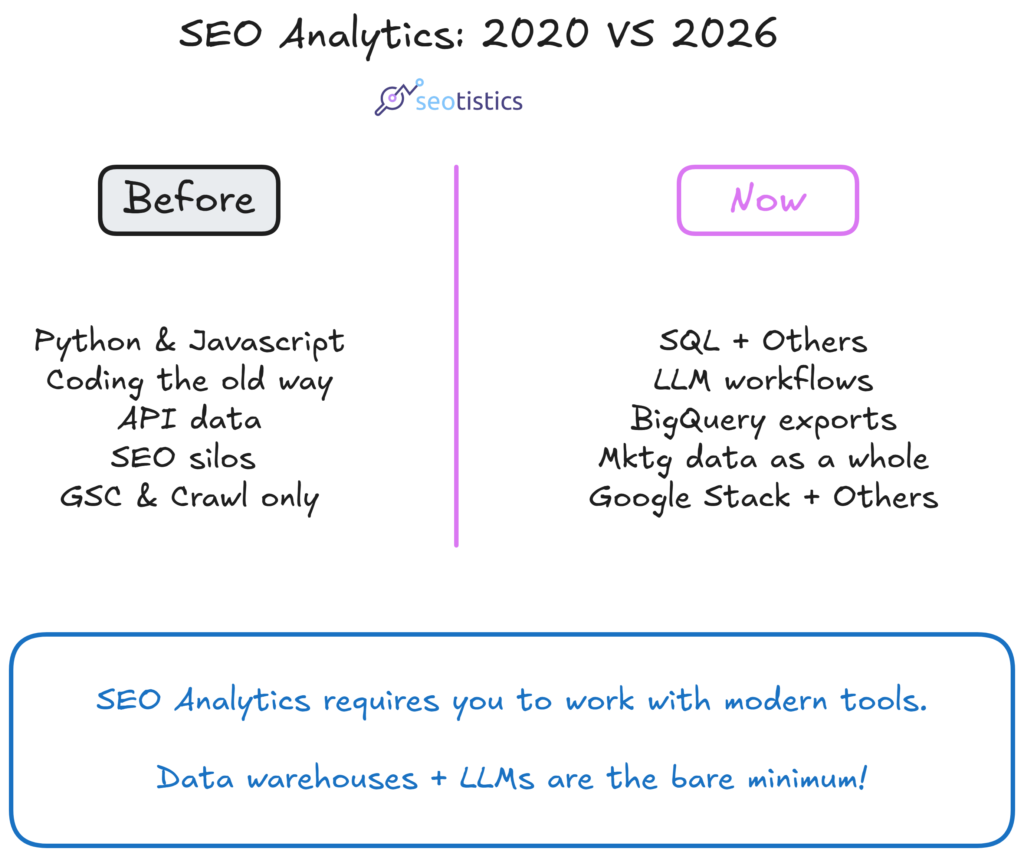
The Roadmap (2026)
This is the learning path I recommend to anyone starting in 2026:
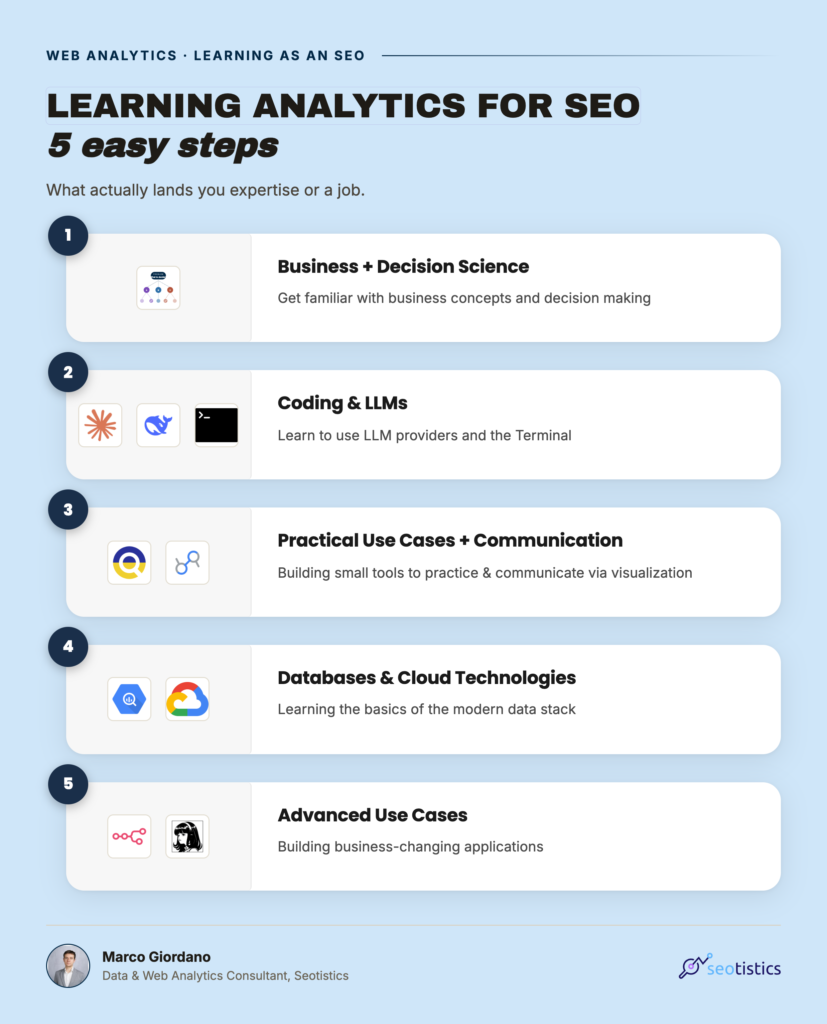
I will explain each step briefly.
Step 1: Business + Decision Science
Before you write a single line of code, understand what your business needs.
Is it more traffic, a higher conversion rate, lower churn?
Analytics without a business question is just noise, which means you need to know SEO, Marketing and Business quite well.
By default, I assume you are a great SEO and have at least enough SEO knowledge to understand what’s good and what’s not.

This will make you stand out from other SEOs who claim to have studied Analytics.
Step 2: Coding + LLMs
The current metagame is focused around LLMs, there is no escape. Even though Analytics exists without AI, it’s now needed to compete and work properly.
Don’t try to learn Python or SQL like a developer but like an analyst. Focus on what you need to carry out your tasks, the rest we can now leave to AI or engineers.
Use Claude or ChatGPT as your pair programmer, ask it to explain why the code works, not just to write it for you.
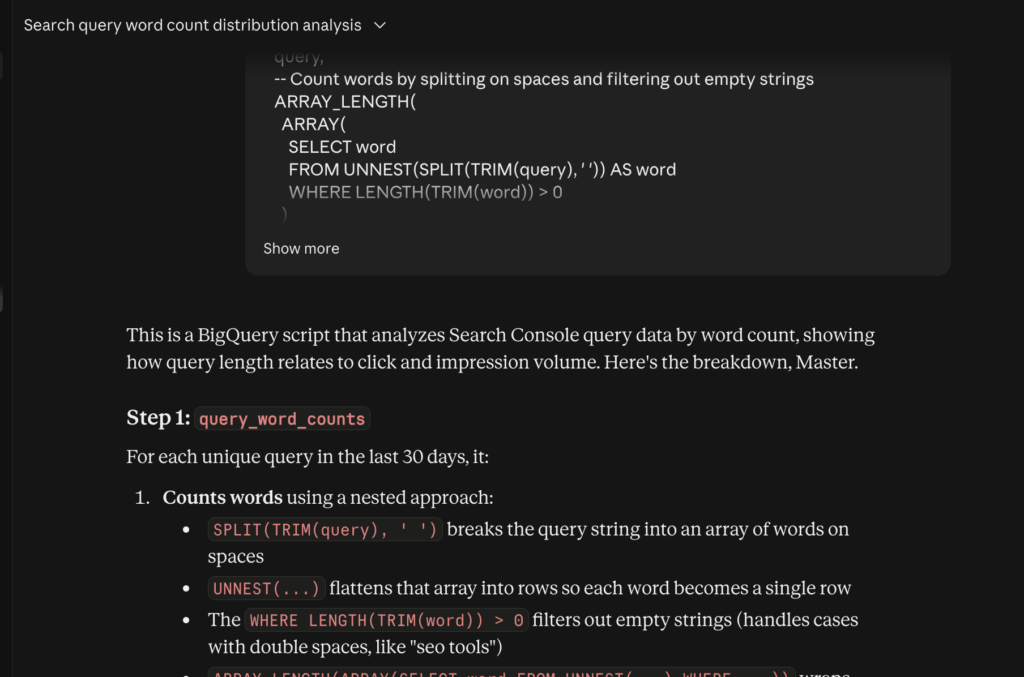
Once you are more confident, ditch them and adopt better workflows and tools.
I rarely use interfaces or AI Tools because I build my own.
This step involves getting familiar with databases or data warehouses like BigQuery. Don’t be scared, this is the easiest part, really.
Step 3: Practical Use Cases + Communication
Once you are kinda confident, you can pick a real problem you have and solve it.
Can’t figure out why a page dropped? Use GSC data in Python to check query-level trends.
Manual reporting taking too long? Automate it.
Need to inspect changes on Google? Use a SERP API and build a small tracker.
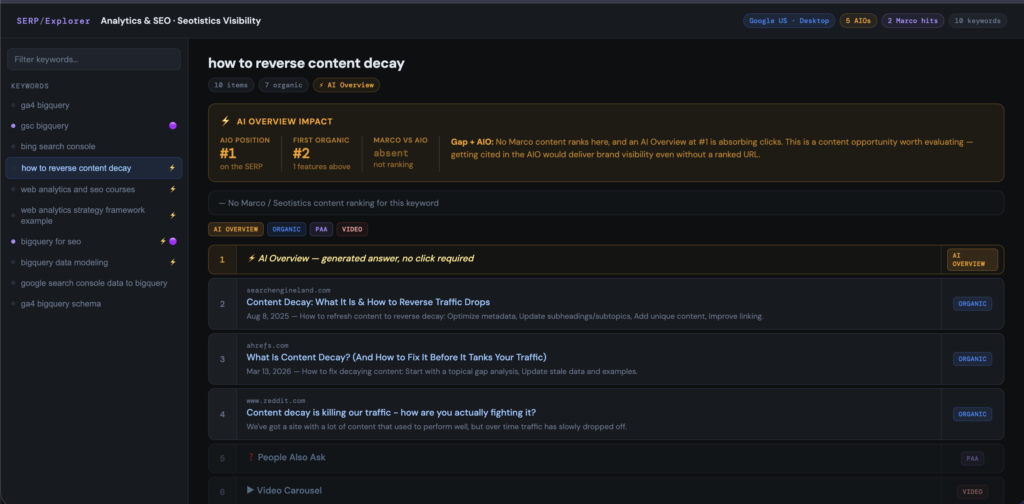
The mistake people make is learning theory for 6 months without ever applying it.
Given what LLMs can do now, it is easy to work on useful projects: content auditing, product auditing, combining data sources, small monitoring apps.
As long as you are the only user of your apps, it’s all OK at this stage.
This is also the step where you get familiar with Data Visualization initially, like Data Studio.
Step 4: Databases & Cloud
Once you are confident with the basics of data, you can actually spend some time to study BigQuery and Google Cloud.
This is super important for playing properly with GSC and GA4 data, since they are quite limited in their UI and API forms.
The actual work happens when you have a modern web data stack, which involves having your data stored somewhere.
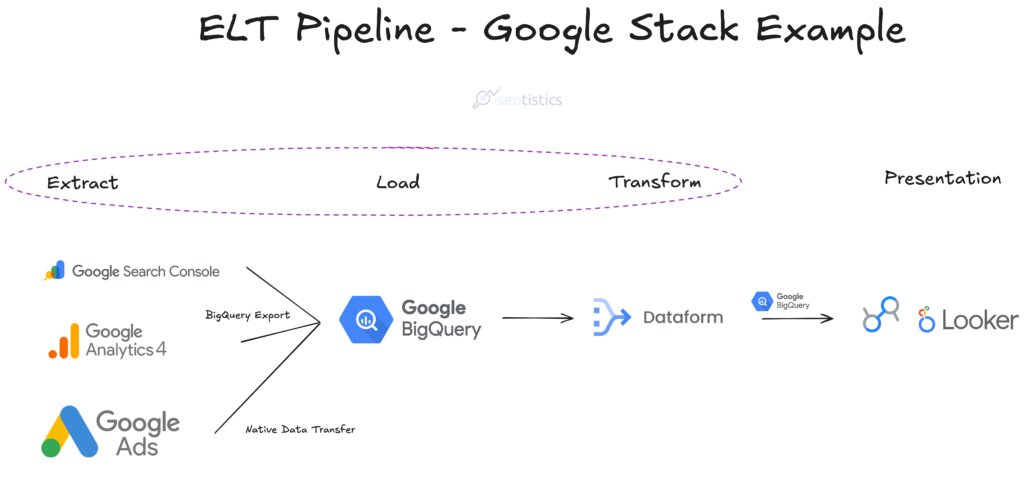
Interacting with every Google service requires you to go to Google Cloud anyway… so you’d better get familiar with it.
Step 5: Advanced Use Cases
This is where you stop being a consumer of tools and start building your own.
Basic use cases are no longer needed because you think in terms of processes and workflows.
Some examples of enterprise-ready or well, complex, projects can be:
- an entire content management process (I built one with n8n and I have a personal one with Hermes Agent + n8n)
- a catalog management process (think about Ecommerce)
- scrapers to pull data from specific websites
True that Analytics is NOT automation but in most cases you will converge into building something and defining a business/marketing process.
Now you can also include LLMs into your flows, where it makes sense.
For example, you could expand what you did in Step 3 and make it next level.
Automating Google Search Console/Analytics 4 Extraction
The best use case so far, doing what you want with your data. Really, this is one of the main and most important things you can do ever.
And if you are at step 5, use BigQuery to store and retrieve your data, brilliant!
I use it all the time to create custom workflows (like my Content Auditing Process) and I test new things all the time.
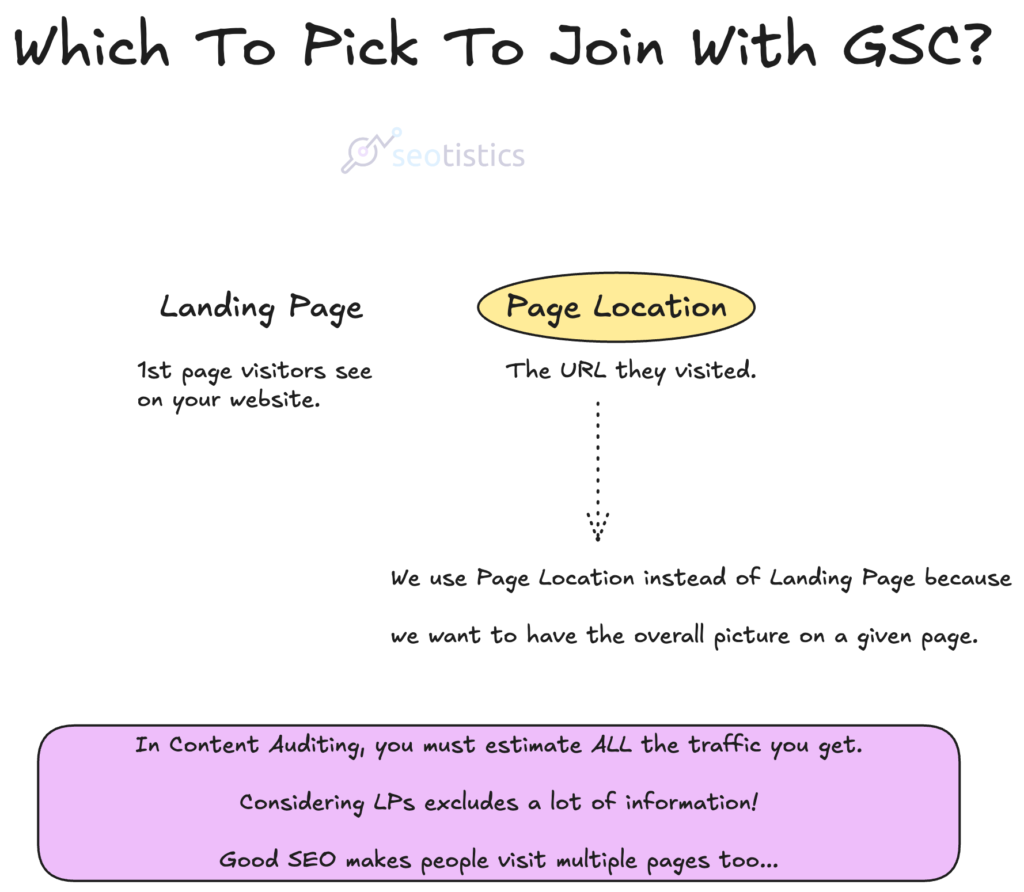
This is the bare minimum if you work with medium or even enterprise websites.
You must know how data is structured and what it means.
Content Automation
Most of the automation use cases out there need good data and a lot of content understanding.
The need of good data and which one to use is part of Analytics.
Nowadays, you don’t need to do weird and complex automations because LLMs exist.
Like this one example here:
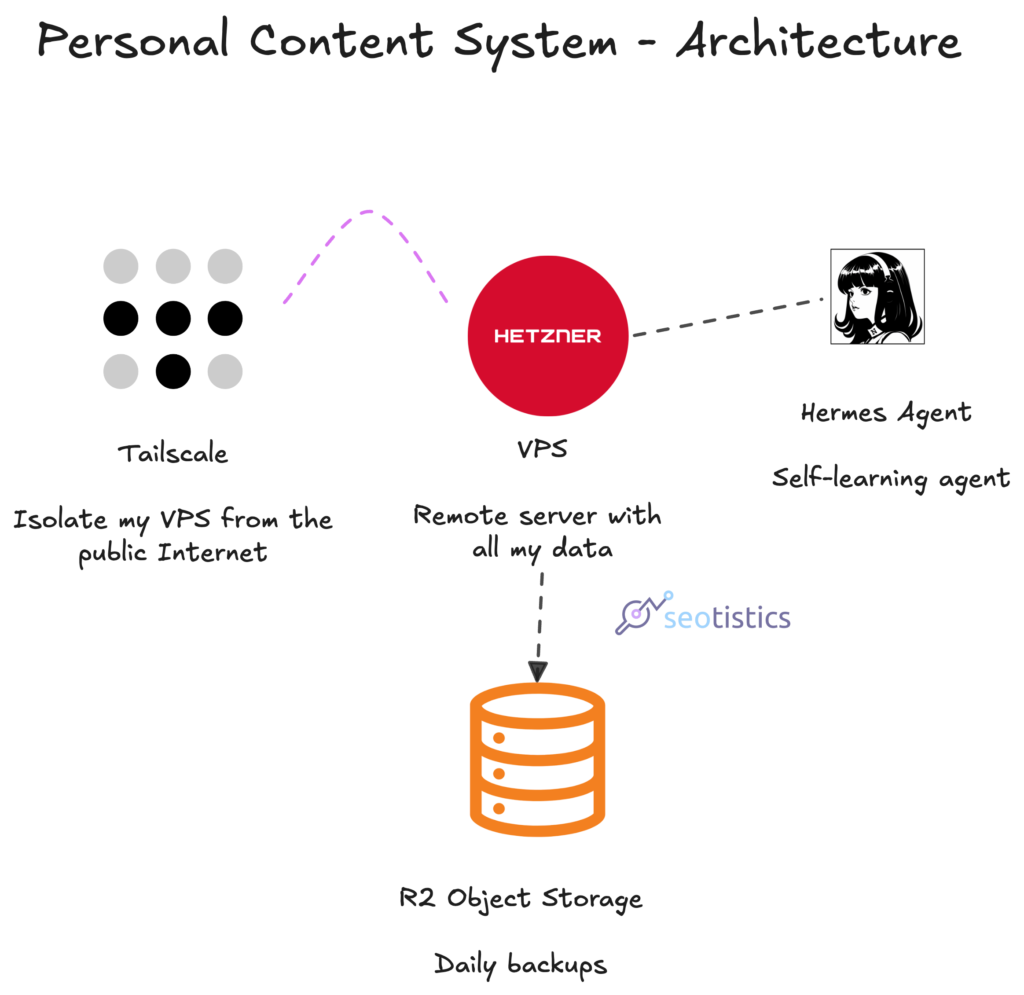
You don’t need to let a machine write your content but you can at least delegate the following:
- Research
- Organizing content
- Finding opportunities
Actual writing and proofreading still belong to the human realm.
Building Your Own Tools
P.S. This isn’t purely Analytics but if you learn basic coding, it’s an added benefit.
Why pay for a myriad of tools when you can just create your own?
You are even luckier because AI makes it super easy to develop small tools that save you a lot of time.
Want your personal scraper? You can do it!
Clustering keywords? Harder but you can as I show you.

Visualizing data how you want? It’s possible.

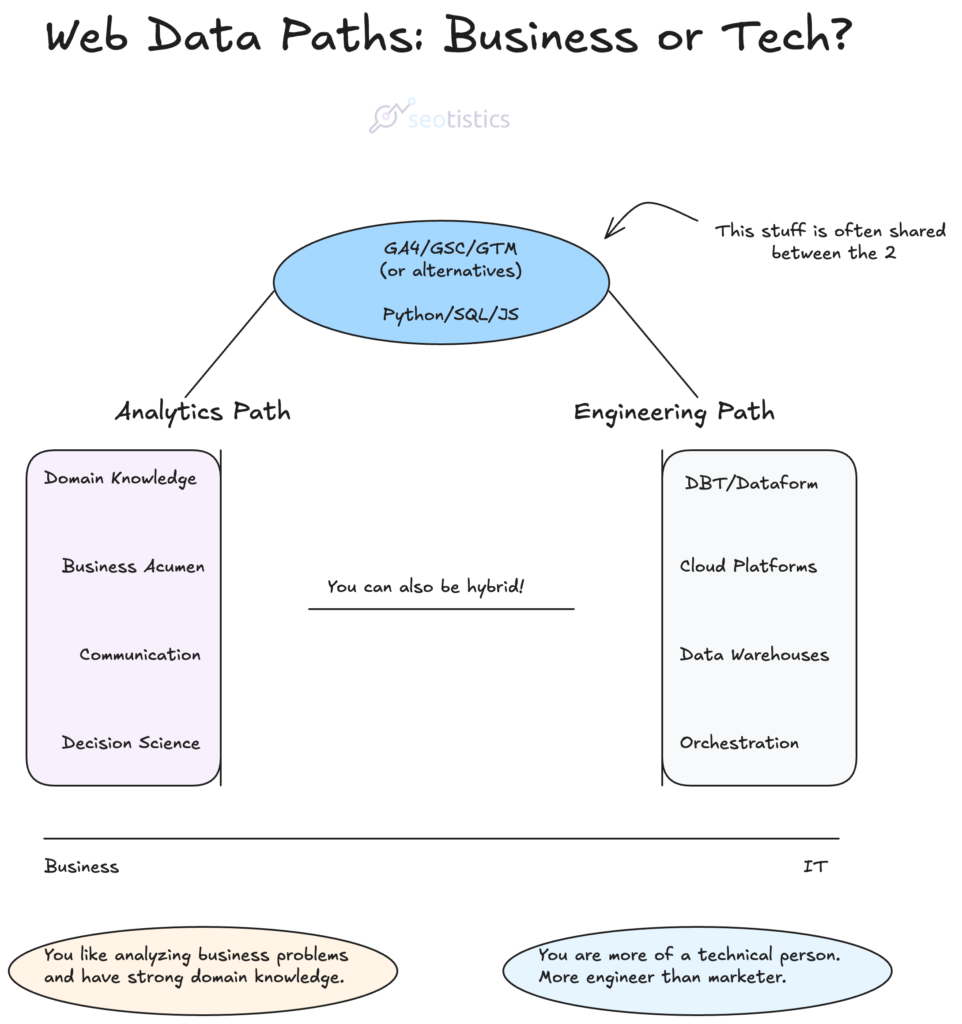
Pathways
If you have a technical background, then your focus should be on coding because it’s the easiest to learn now.
For those who are already skilled, strategy and higher Math can provide you with better answers.
In terms of programming languages, SQL is the lingua franca of data, everything else today is appreciated but not mandatory.
Anyway, with LLMs you can pretty much translate whatever you want for free.
N.B. SQL usually comes above all but in SEO we want to learn scripting first. Why?
Well, scraping and basic automation can be used in any SEO project!
The reason is simple, many SEO tasks require you to work with data or be analytical.
This is NOT something for Tech SEOs or in-house alone, as many incorrectly think.
It’s useful knowledge for anyone, especially for those who own large websites or agencies.
What To Avoid
Unfortunately the SEO industry loves to hype things up… but real data work is completely different from what you get told.
It’s easy to listen to SEOs who code and think that’s Analytics.
Quite the opposite, we analysts don’t write much code, we spend a lot of time on framing problems.
So you can easily skip generalist studies or even degrees (unless you want to get out of SEO).
I’d rather focus on what can write code for you or help you with framing, namely LLMs.
My Story
I come from a non-technical background (Business Administration) as I didn’t have any interested in data back then.
Then, I decided to study Data Science and Computer Science for my Master’s because they both fascinated me.
It took quite some time to learn what was needed as there weren’t many great resources…
and to be fair, many of them were detached from business or even common sense SEO.

This is why I have created all of these resources!
And also because documenting your work is the best way to remember what you did and track your progress.
I started as a fellow SEO and still do some Organic to this day and the switch was amazing for me!
Recommended Resources
Since anyone keeps asking me about resources, this is what I consider to be the best in terms of usefulness.
Decision Theory + The Basics:
- Good Strategy Bad Strategy: The Difference and Why It Matters
- How to Decide: Simple Tools for Making Better Choices
- Foundations: Data, Data, Everywhere
- Data Literacy In Practice
- Becoming a Data Head
- Analytics: The complete minicourse
- Analytical Skills for AI and Data Science : Building Skills for an AI-Driven enterprise
- Thinking in Outcomes (newsletter)
- Beyond the Mean
- Storytelling with Data
Before you even start, have a look at these resources. They are what I call foundational, so read them asap!
You don’t always need data for decisions as you will notice… this type of logic should be nurtured right away.
The last resource I linked is the best so far for understanding what Analytics actually is.
Pro tip: 99% of the resources about Web Analytics make 0 sense for SEO, so just go straight for Data Analytics as a whole.
Coding/Technical:
- Seotistics, well, what did you expect?
- SQL for Data Analytics – great book for learning SQL
- DataPatterns – advanced content for differentiating yourself from the mean
- SEO Depths by Simone De Palma
- Statistics Globe
Most of what’s here is practical and will keep you busy for some months. This is what adds value quickly and gets you going.
You don’t need to use them all but be sure to be proficient with either Python or R and know decent SQL.
The rest is now all about using LLMs.
Mathematics/Statistics:
- Good resource for basic Math
- R Statistics Cookbook
- The Calculus Lifesaver: All the Tools You Need to Excel at Calculus – Calculus is a must if you want to upskill and move to Data Science
- Practical Statistics for Data Scientists
In reality, you won’t even need that much Statistics, it’s just a safe measure. Trust me, you will not regret it when the time comes…
“Python for SEO” is kinda pointless if you don’t know how to use data.
If You Want A Guided Path
In case you don’t have enough time and want to be guided and get 1:1 support, I offer you the most complete course in the world:

This is the golden standard for the subject and if you want a cheaper alternative (but with much less value), you can always start with my ebook.