
Hermes Agent is the real beast of automation right now and it’s super underrated with Web Data.
Imagine being able to run entire workflows and tasks like scraping or content management or reporting from your palm.
This is now possible, especially if you have done the setup described in my previous article about having n8n inside a VPS.
In this article I will cover the initial setup so you can start using it for your personal use cases.
Table of Contents
What You Get At The End
An AI agent that lives on your VPS, runs 24/7 and does actual work:
- You talk to it from your phone through Telegram, from anywhere
- It remembers your past conversations and connects the dots over time
- It can trigger your n8n workflows and give them input
- It can read your knowledge base (Obsidian) when your laptop is on
- It sends you reminders, checks things and handles the boring parts of your content process
- The extra cost is a few euros a month and usually much less
What Is Hermes Agent (In Plain Language)
An AI agent is a program that doesn’t just answer questions.
You give it a goal and it uses tools to get there: the terminal, the web, files, APIs, whatever.
It keeps working until the job is done and can improve over time (important).
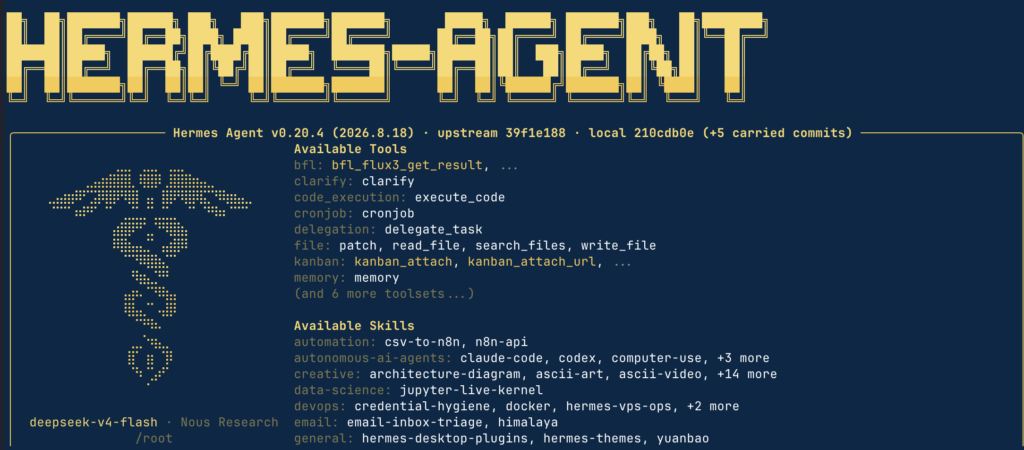
Hermes Agent is one of these, made by Nous Research, designed to run continuously on a server.
What makes it different from a chatbot or your average Claude/ChatGPT:
- Persistent memory. It remembers who you are, your preferences and what you worked on in past sessions.
Over time it gets better at working with your stuff specifically. - Skill creation. When you teach it a procedure once, it can save that as a skill and reuse it in the future.
It literally learns from experience and it does so much better than other providers. - Connects to almost everything. Telegram, Discord, Slack, WordPress, n8n, Obsidian, email. It’s the same agent everywhere, not a limited chat widget.
- Provider-agnostic. It works with any LLM provider: DeepSeek, OpenRouter, Anthropic, OpenAI, local models.
This isn’t possible with Claude/OpenAI, for example.
It’s been at the top of OpenRouter usage rankings for a while.
That matters to me because it means people are actually running it in production, not just demoing it.
Why Run It On A VPS
The first part of this guide explained why I run n8n on a VPS instead of n8n Cloud: no usage limits, lower cost and the data stays yours.
The same logic applies to an agent, plus one more reason: availability.
Your laptop sleeps but the remote server is 24/7 (well, it should be).
If the agent lives on your laptop, it only works when you’re at your desk with the lid open.
That’s useless for a system that should remind you of things and run tasks while you sleep.
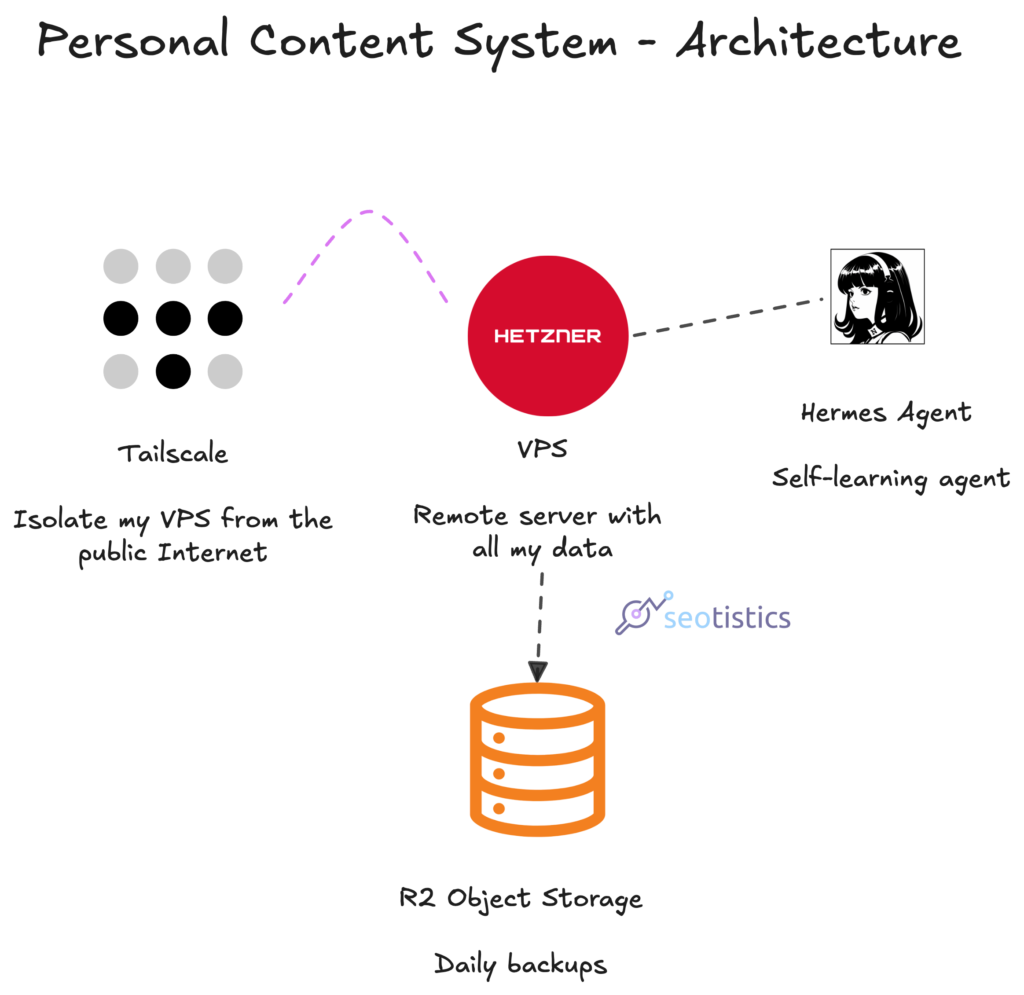
A VPS (Virtual Private Server, a remote computer you rent) gives the agent a permanent home.
It sits next to your n8n instance, your databases and your backups.
It’s the closest thing to an always-on employee that costs a few bucks a month.
The other important reason is that you don’t want to share the data on your laptop with Hermes… for security and data privacy reasons.
The Desktop Alternative
You could also install the desktop app and use it normally… but you know we need to do things properly and do it differently.
Still, it can be a great starting point to use the Desktop version and only then, consider the CLI version.
If you are more “geeky” and have some cheap old hardware, you could even keep it 24/7 on and install Hermes there!
The Full Stack
This is where the stack stands after this article, it’s a very common setup:
| Layer | Tool | Why |
|---|---|---|
| Hosting | Hetzner VPS (Ubuntu) | Cheap, reliable, well documented |
| Private network | Tailscale | Access without exposing ports to the internet |
| Firewall | UFW | Only SSH and the webhook exception open |
| Containers | Docker + Postgres | n8n and its database in one compose file |
| Automation | n8n | Workflows, webhooks, scheduled runs |
| Backups | R2 | Daily dumps, cheap, off-server |
| The agent | Hermes Agent | The 24/7 assistant on top of all of it |
| The brain | DeepSeek V4 Flash 0731 (or V4 Pro 0813) | Cheap enough to keep running all day |
| The remote control | Telegram | Talk to the whole thing from your phone |
| Sketches | Excalidraw Plus | Cartoon-style diagrams for content and ideas |
If you are more “normal” than me, you could also have WhatsApp or Slack instead of Telegram.
n8n here could be replaced by Hermes itself… but that largely depends on your tasks.
What This Costs
People expect this to be expensive. In most cases, it isn’t but you will still pay a few hundres every year.
Considering the VPS cost, you can expect around EUR 10-15/month and maybe slightly higher.
It’s peanuts compared to the full power of this content system.
- The VPS: you already pay for it after the n8n guide. Some euros a month.
- DeepSeek API: pennies for a normal day of use. The cheap model choice is what keeps it there.
- Telegram: free.
- Obsidian REST plugin: free, open source.
- Hermes Agent: open source.
Installing Hermes On The Server
The install is one command and it runs on the same Ubuntu server from the n8n guide.
SSH into the server first, then:
curl -fsSL https://hermes-agent.nousresearch.com/install.sh | bashThen run the setup wizard:
hermes setupYou will see 2 options:
- Quick setup
- Full setup
Either is fine, I am assuming you are going with option 2.
The wizard asks you which provider to use and where your API keys live.
It also configures the model, the platform (Telegram in my case) and the basic preferences.
There will be other options, you can leave the default options for now. Once you are familiar with the tool, you can change them.
After that:
hermes doctorA health check that tells you if everything is wired correctly, I run this after any config change.
The install script sets up Python, a virtual environment and the launcher.
This is a breeze compared to the first VPS setup.
Once Hermes is up and running, you can use it to help yourself with the setup!
It’s self-improving for a reason.
Choosing The Model: DeepSeek V4 Flash
An agent needs a model to think with.
An LLM (Large Language Model) is the AI brain that processes your requests.
You call it through an API and pay per token, which is basically per amount of text processed.
And no, you can’t use your Claude/ChatGPT subscription here, you need an API key.
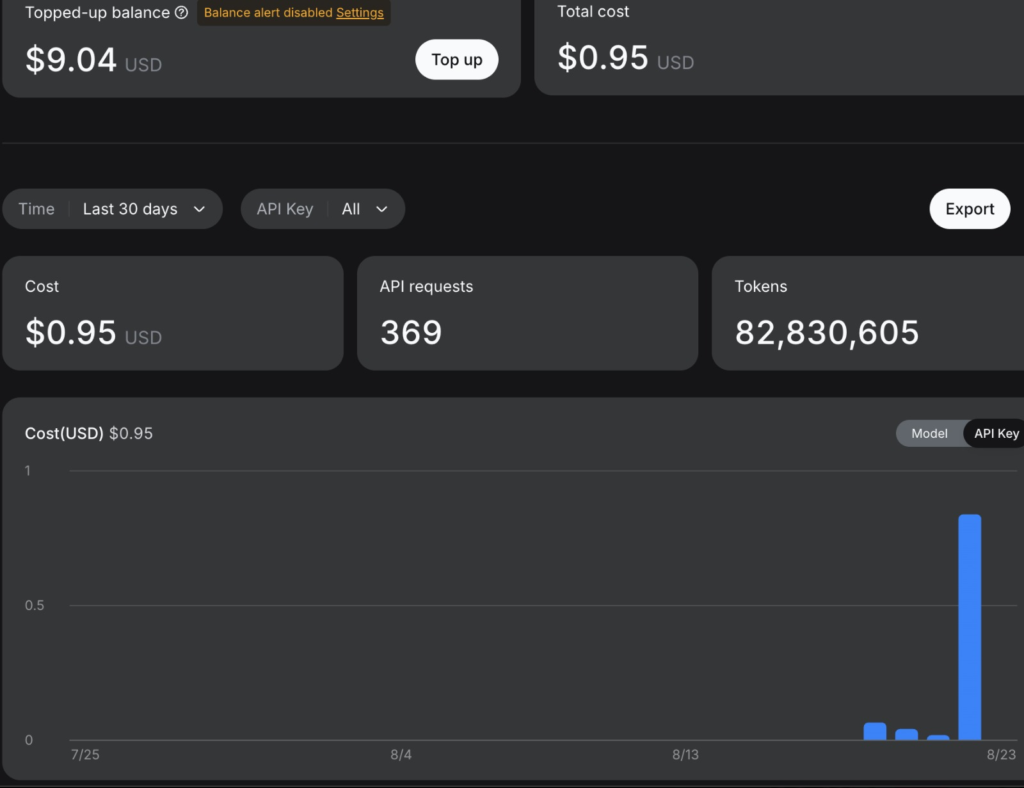
When an agent runs 24/7, token cost is a real variable. A flashy model that costs 20x more per call will eat your budget before lunch.
My choice at the time of writing is DeepSeek V4 Flash 0731, straight from DeepSeek.
I also connected my OpenRouter key with the same exact model but it’s often capped and Hermes will be super slow and fail.
The Model And The Keys
Your API keys go into an environment file (~/.hermes/.env), not into the config.yaml and never into a git repo.
The config holds settings, the env file holds secrets (called like this for a reason).
That separation matters because it means you can share your config without leaking keys.
Your AI model can read your keys and potentially expose them into public files that malicious parties can find.
Now let’s actually edit this file:
nano ~/.hermes/.envOnce inside, write what you have to write, CTRL + O to overwrite, hit Enter and then exit with CTRL + X.
This is where you can connect all your providers and add usernames + passwords. Hermes can tell you how to do it if you ask.
Make sure NOT to paste your keys into the chat!!! This is why you have to run nano and edit the files yourself.
If you ever get an error when running nano with cmux, try this code first:
TERM=xterm-256color ssh root@YOUR_IP_ADDRESSThe (Main) Files That Make Up Your Agent
One thing people don’t realize about a self-hosted agent is that it’s just files on a server.
You can read them, edit them and back them up like any other project.
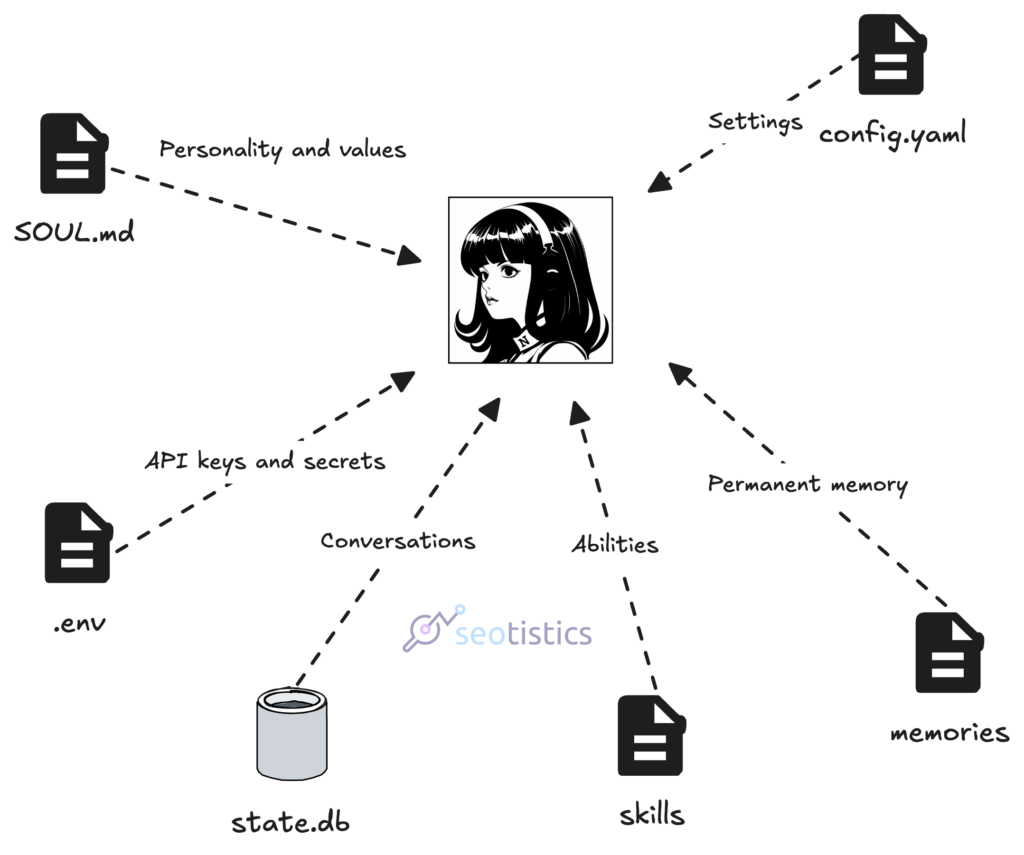
The main ones:
- SOUL.md. This file defines who the agent is: role, tone and behavior. It’s the difference between a generic assistant and one that works the way you need.
I edited mine so the agent acts as my content and brand assistant for Seotistics, not a general-purpose chatbot.
If you want the agent to behave a certain way, this is the file to touch. - config.yaml. The settings: model, provider, connected platforms, preferences. No secrets here.
- .env. API keys and credentials, nothing else. This is the file that should never leave the server.
- skills/. The procedures the agent has learned. Each one is a folder with a SKILL.md file that explains when and how to use it. This is the part that makes it improve over time.
- memories/. What the agent remembers about your business and about you. It reads these on every session, so you don’t have to repeat yourself.
- state.db. The database of every past conversation. Searchable, which is how the agent remembers what you did months ago.
You don’t need to understand all of these to use the agent.
But knowing they exist is useful: when something behaves weird, you open the right file and fix it.
When you change server, you back them up and move them.
Talking To It From Your Phone: Telegram
This is the part that changes everything. Hermes runs on the server, but you talk to it from Telegram.
You create a bot with BotFather (@BotFather). A Telegram bot is just an account controlled by software and BotFather is the official bot that creates them.
It gives you a token, you put that token in the env file and you allow only your user ID.
Your user ID can be found with this bot: @userinfobot
Type /start and you will see “Id”, that’s what you need.
That last step is important: the bot should ignore everyone else.
From that moment, you have a direct line to your server from your phone.
I open Telegram and I’m talking to the agent that lives on my Hetzner box.
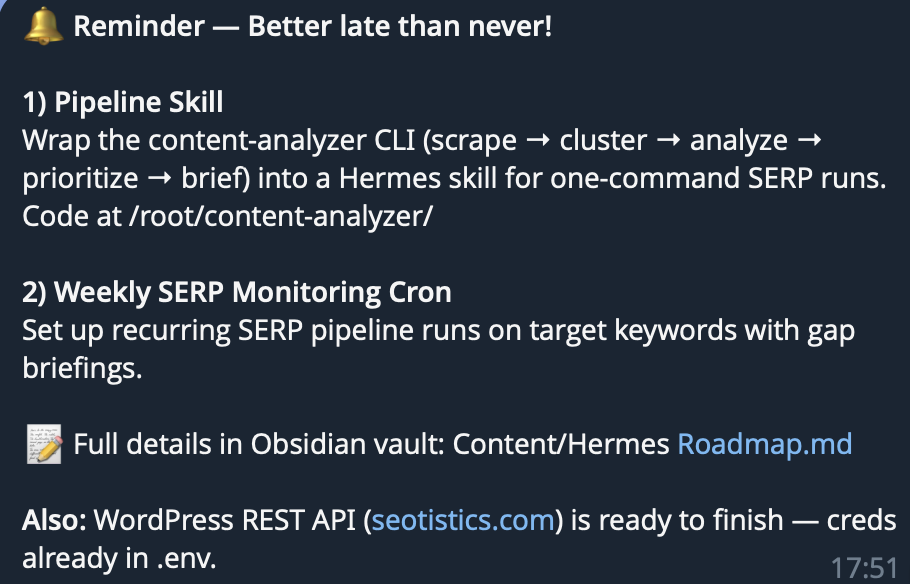
It can run commands, check files and answer questions about what’s on the server and where.
The connection is encrypted by Telegram and the only thing exposed is the bot, which rejects everyone but you.
The Options Of The Bot
The Telegram bot doesn’t only reply to your text but also to preset commands like:
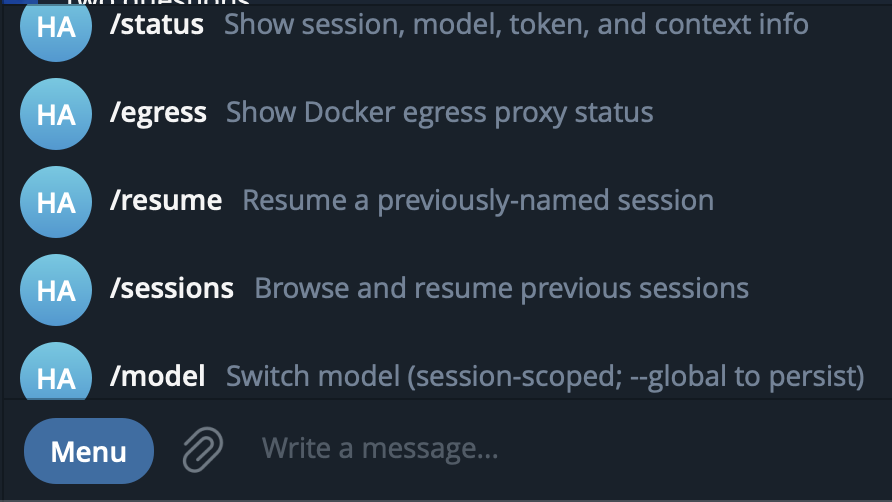
Every chat you have on Telegram (or any messaging app) counts as one session UNTIL you restart it.
You can do so with the /new command. Using the same session degrades context and so far your output.
Reading Your Knowledge Base: The Obsidian Tunnel
This is what separates a useful agent from a generic one.
A generic agent knows the internet BUT I need an agent that knows my business, my content and my processes.
My knowledge base lives in Obsidian on my laptop, as you may remember from my article on Content Management with Obsidian.

Obsidian is a note-taking app that stores everything as local markdown files and it has a Local REST API plugin that exposes those notes over HTTP.
The VPS reaches it through an SSH tunnel because… in my setup the vault is strictly local!
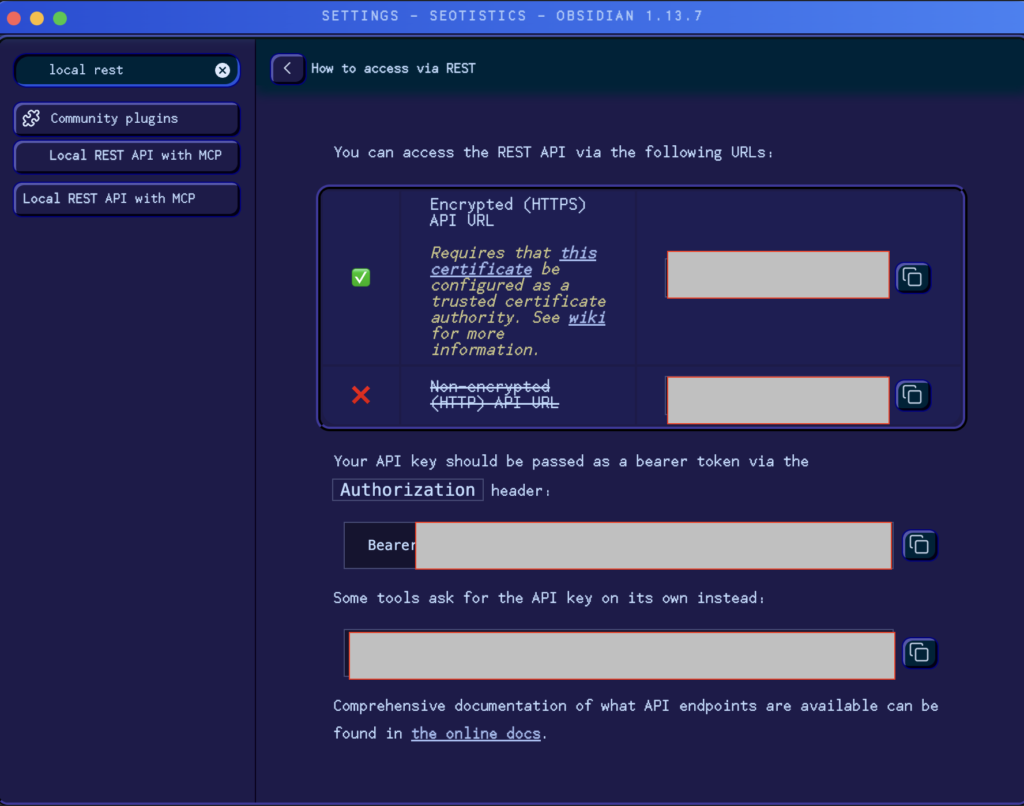
Otherwise, you can store your vault via Google Drive and just connect to it.
This is the only downside of my current workflow but you can fix it.
To open the SSH tunnel, you can run something like:
ssh -R 27124:localhost:27124 root@YOUR_IP_ADDRESSThen you will have access to your vault as long as the connection persists, meaning don’t close your terminal tab.
P.S. Port 27124 is a convention used by the Obsidian Local REST API default.
Skills
You may be already familiar with skills in LLMs, they are instructions on how to carry out specific tasks, e.g. scraping a page.
For repetitive tasks that need specific methods, you must use skills.
The good thing about them is that you can provide .py scripts containing the actual code.
Since we are too lazy to do that, we will let Hermes do the heavy lifting for us… in most cases it’ll auto update at the end of a chat.

Cronjobs & Zero Costs
Good engineering is also not using LLMs when you need a fixed output and also save money.
Cronjobs are automated tasks and Hermes excels at creating them for you.
This way you won’t pay for the LLM running!
I use one to detect changes applied to some pages but the use cases are infinite.
Letting It Trigger n8n: Webhooks
Now the system starts earning its keep. My n8n instance runs on the same VPS and Hermes can trigger its workflows.
A webhook is simply a URL that makes a system do something when it’s called.
n8n workflows expose webhook nodes, so Hermes can call them with input.
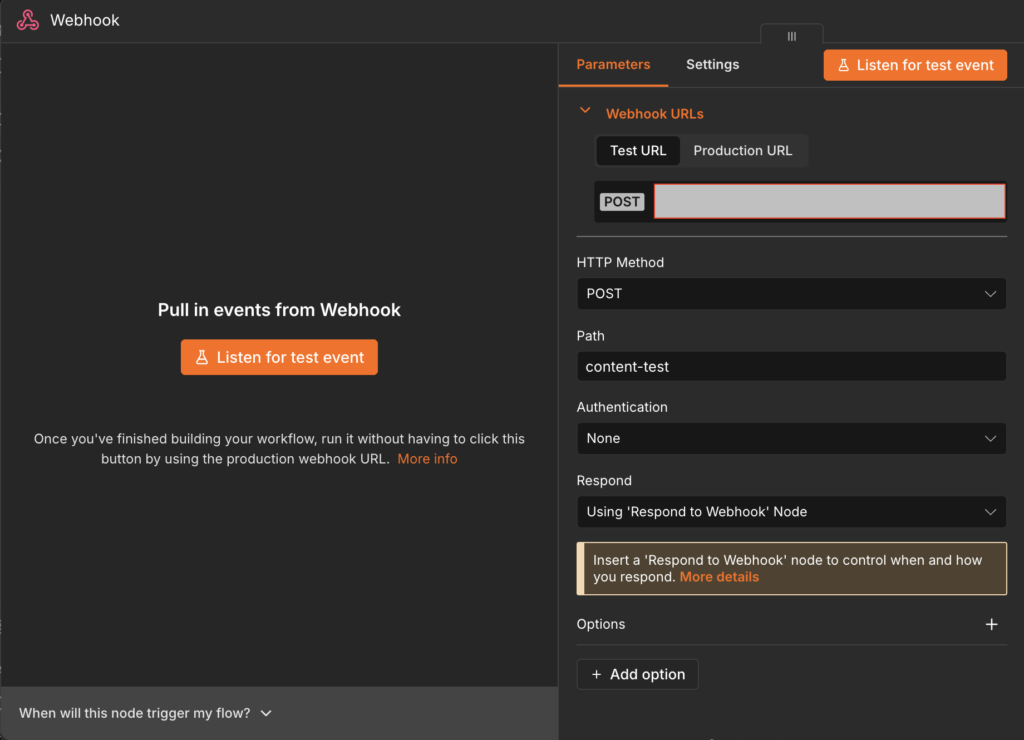
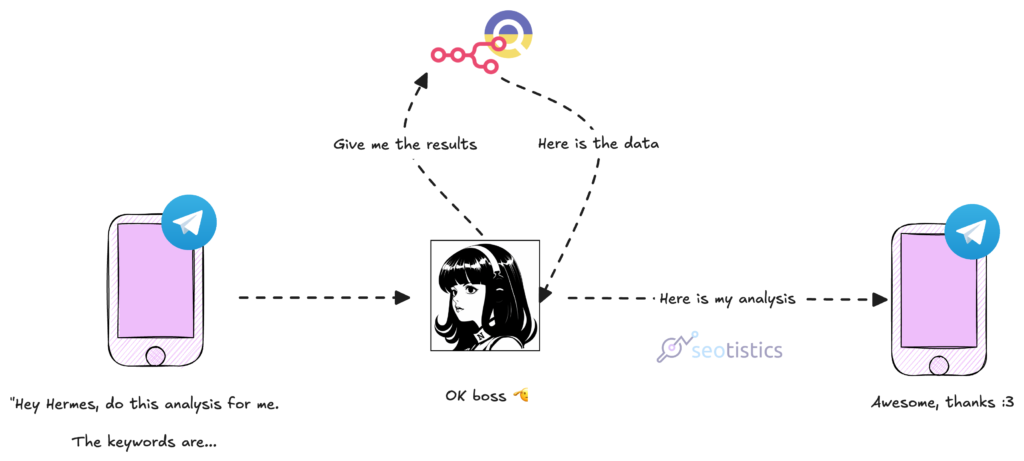
Real example: I’m on my phone and I want to run my content analysis workflow on a new list of keywords.
I send a message to the agent and it calls the n8n webhook, the workflow pulls SERP data through DataForSEO, runs the SERP clustering and sends me back an xlsx file (or whatever I want).
Talk about comfort!
The same works for pulling data from services like BigQuery or DataForSEO directly.
I could also skip n8n entirely and handle the process to Hermes.
n8n is preferrable for debugging and well… order.
The Token Problem
Not everything is super cheap, even though if you follow my setup, you should spend a few bucks per month only.
What works for me:
- Cheap model by default. DeepSeek V4 Flash handles the orchestration.
- Heavy coding goes to Claude Code or Codex on the same server. The agent delegates, it doesn’t try to do everything itself.
- Skills and memory cut cost over time. The agent stops re-reading the same context because it already knows it.
The rule I repeat to myself: the agent is the orchestrator, not the only worker.
Security Notes
Much like the initial VPS setup, you need to be extremely careful with what you share with Hermes and the model powering it.
Keys to your tools should always be stored in the .env file, never in the .config or pasted in the chat.
However, Hermes can read the .env file, scan the keys and never disclose them to the model it’s using.
Hermes also flags by default dangerous commands, e.g. dropping tables, removing key files, etc.
So in practice this agent can’t remove all the files on your VPS in most situations (which is good), even if you are using a cronjob.
Since we are dealing with machines though, it’s always better to have daily backups like the ones I previously recommended inside the R2 Storage Object.
You could even run Hermes inside a container for more security but this would also make it harder for you.
Next Steps
Once your Hermes is fully operative, there is no time to waste, you can develop your personal content system.
Or maybe, you just want to automate processes you always wanted to avoid doing.