

Small websites also need to have a basic stack for Analytics.
Otherwise how are they even supposed to understand their digital business?
I show you one of the many alternatives you can choose from, based on my experience.
P.S. I tried to simplify the topic and avoid going into too much technical detail. This is mostly on a business level.
Table of Contents
Being “Small”
If we go by the legal definition, a SME is a company that…
Web-wise, a small company doesn’t have enough bulk of traffic or pages to justify complex solutions.
Having 10,000 pages doesn’t make you big… but if you have 1M then you are big!
The majority of websites out there are indeed small and need simple solutions.
If you are a local business (e.g. a bakery), I don’t think Web Data is that important, focus on growth instead.
Examples of small websites:
- Personal blogs
- Small business websites (local services, consultancies, agencies)
- Side project landing pages
- Early-stage SaaS products
- Portfolio sites
- Small e-commerce (under 500 SKUs)
Define Key Questions
Here’s the mistake most small site owners make: they start with tools instead of questions.
“Should I use BigQuery? What about dbt? Do I need a data warehouse?”
Wrong starting point.
Start here instead: What business questions do you need to answer?
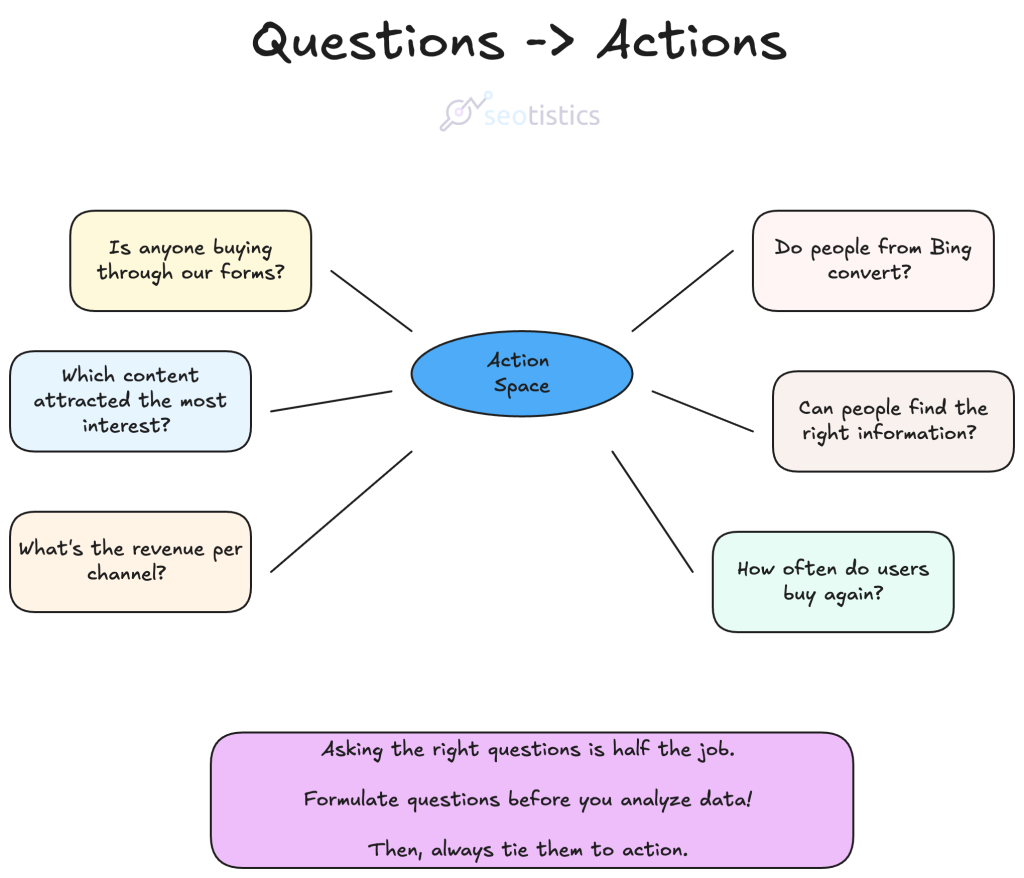
For most small websites, the list is short:
- How much traffic am I getting?
- Where is it coming from?
- What content performs best?
- Are people converting? (subscribing, buying, signing up, whatever)
- What’s working and what’s not?
You don’t need complex data architecture to answer these, only the basic tools, configured properly.
The analytics stack should serve the business, not the other way around.
If you’re spending more time managing your analytics than using the insights, something’s wrong.
Then, it will become intuitive where to find the answers to your questions:
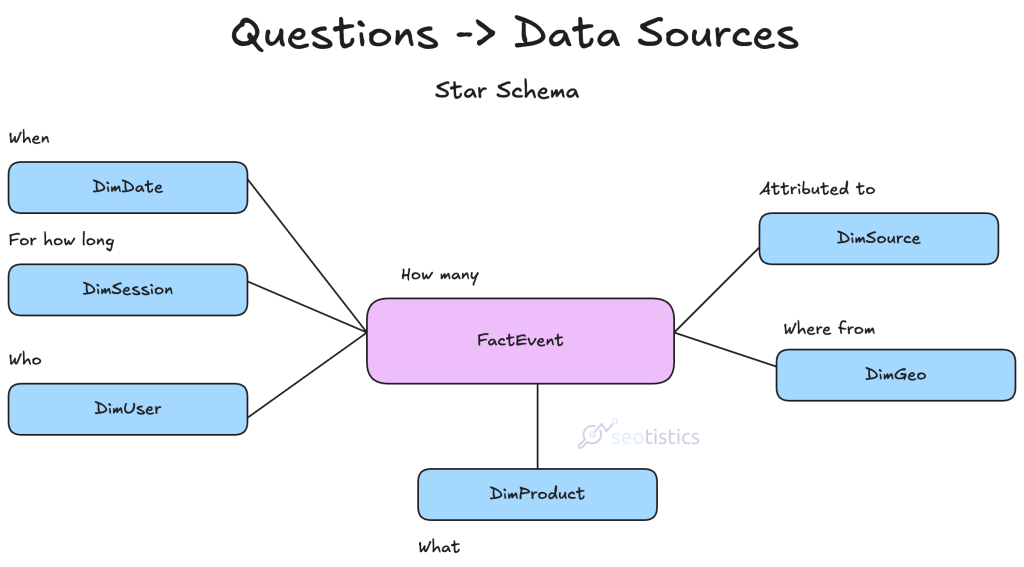
Overview of the Minimal Viable Stack
Data is the digital representation (or approximation) of your company.
It’s your raw material for decision making, after all.
This is what a small business can get away with:

Super cheap, fast and easy to explain. You can even make it more radical and only use a Google stack, which is fine for many:
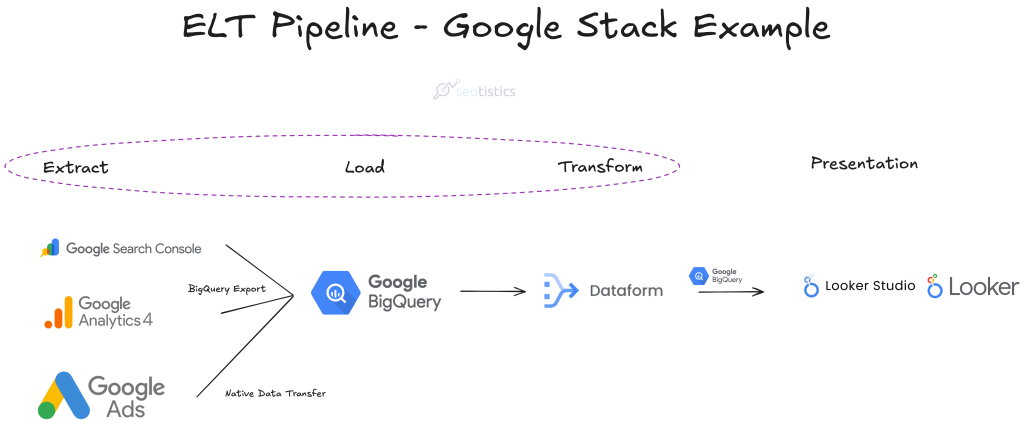
If using the full Google stack with Dataform, I really recommend using GA4Dataform to process GA4 data.
In its free tier, you can get usable data and even save money.
GA4 alternatives like Matomo, Piwik Pro, Amplitude, Mixpanel, etc. are also fine if you know how to work with them but they will cost!
Importante note: Amplitude and Mixpanel completely trump GA4 for Product Analytics.
This is a stack for what we call “Marketing Analytics”.
The “European stack” makes sense if you are more interested in data privacy and can afford a little bit more.
The reason is that you pay more and in most countries it’s harder to find someone with experience in it.
Google tools are universal and what many professionals forget is that a company should also find labor.
More supply of professionals = companies can pay less
From the company perspective, mainstream tools win.
If you can’t find who to hire, you are screwed.
Google has the edge in terms of ecosystem, documentation and distribution.
Ok… So Why Those Steps?
The reason why the stack is split in steps is very simple: you can’t work on the data as you get it.
First, you need to extract the data from your data sources, like GA4.
You load it into a safe warehouse like BigQuery, so you can store and protect it.
You transform the data with a tool like Dataform and make sure the output is what you need for your use cases.
What you show to the end user is a data product, like a dashboard in Looker Studio.
This process is called Extract, Load, Transform (ELT).
What’s The Timeline?
As I will share in one of my upcoming case studies, the timeline is quick.
A simple setup can be done in a few days, technically speaking.
The real time sink is understanding the business and what is needed to track/understand.
I am purely involved with the analytical part and not the manual tracking/tagging setup, that can require some thought.
If that is already done, then the rest is quite quick.
Can’t I Just Use The Tools?
If it’s a small website, why even bother with BigQuery?
The thing is, tools can’t scale and are unreliable.
You’d rather store your data as soon as you start since you’d either pay $0 or a very low fee.
Nowadays the skills required to work with data warehouses like BigQuery aren’t even that expensive.
Many analysts are now familiar with these topics and a small website can follow a standard setup.
Google Search Console (GSC)
GSC is your entry point to Google Search data, aka Organic Search, and the 1st SEO tool to check.
It contains the queries people type on Google to find your website and the performance of the pages ranking for said queries.
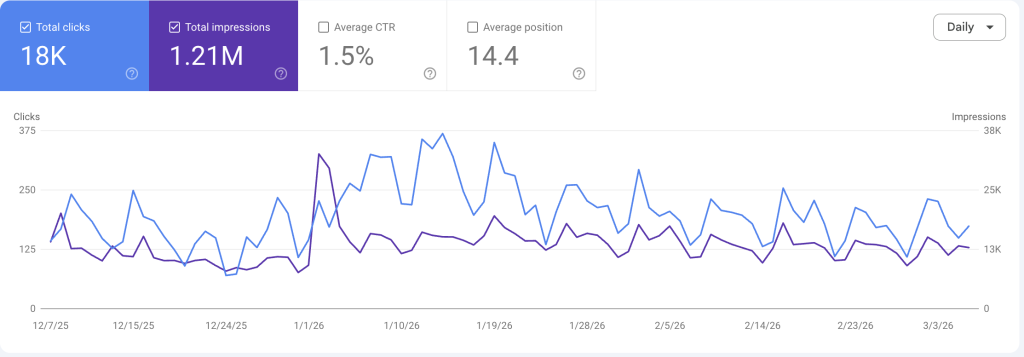
There is a free BigQuery Bulk Export option to store your data safely (without backfilling).
What you don’t need:
- Third-party GSC tools (most are unnecessary for small sites)
- Daily monitoring (weekly check-ins are fine)
- Obsessive position tracking (focus on traffic trends, not rank fluctuations)
What you do need:
- Regular review of top queries and top pages
- BigQuery export for GSC data (same reasons as GA4, interface limits hide data)
- Periodical technical checks (indexing, etc.)
Bing Webmaster Tools (BWT)
BWT is the same as GSC but for Bing and you can actually import your Google setup.
I’ve talked about the differences between GSC and BWT in the past, go check them out!
Despite what many think, Bing is useful for SEO and even more for those working in B2B.
You can set it up after GSC as you can export your settings.
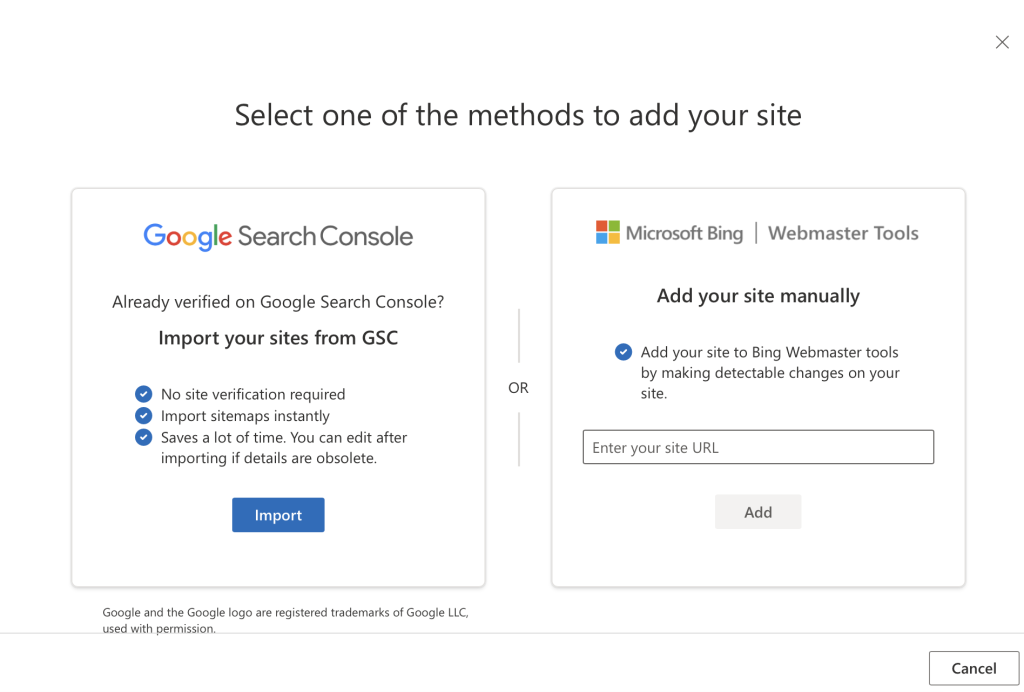
The only downside is that there is no export to BigQuery and their API is not exactly optimal.
Since it’s free, I’d recommend using it, although you’d need to build a connector yourself…
so you can stick to the UI.
Bing also added a dedicated AI performance tab, you don’t want to miss that.
What you don’t need:
- What already said for GSC applies here
What you do need:
- Proper setup (correct measurement ID, domain configuration)
- Storing Bing data via API (can be cumbersome so this is optional)
- Periodical technical checks (BWT is much better at it)
Google Analytics 4 (GA4)
GA4 is the undisputed king of Web Analytics and is still the top player in the market by share.
It tells you the events that happen on your website and details about your users.
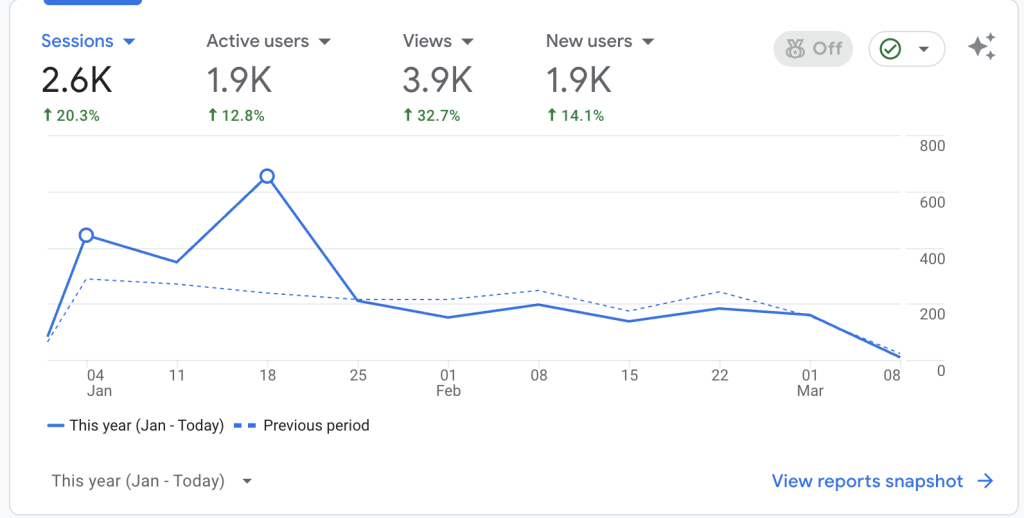
Many small businesses complain about the UI because it’s barely usable and complex.
Well, this is why you use the BigQuery Linking instead and only touch GA4 for the settings.
That’s how it should be in a proper data mindset.
What you don’t need:
- GA4 360 (enterprise paid version) – Complete overkill for small sites
- Complex event tracking beyond business – critical actions
- Every possible custom dimension and metric
What you do need:
- Proper setup (correct measurement ID, domain configuration)
- Business-relevant events tracked in GTM (more on this below)
- Basic conversions configured (newsletter signups, purchases, form submissions)
Google Tag Manager (GTM)
This can’t be skipped and it’s probably the hardest tool of the bunch.
Proper tracking can make or break your entire Analytics… even though GTM will NOT affect your GSC and Google Ads data anyway.
Server-side tracking, namely sending data to your server before it lands into GA4, can also be extremely beneficial.

In this way, you can control the data a tool like GA4 receives and send what’s appropriate for privacy goals as well.
Stape can help with that and is what I’d recommend for most common use cases.
Looker Studio
Great tool for visualizing data, although limited.
Looker Studio is the quickest way to show something to your stakeholders.
In most cases this is a pro since you want a simple and quick solution with Google integrations.
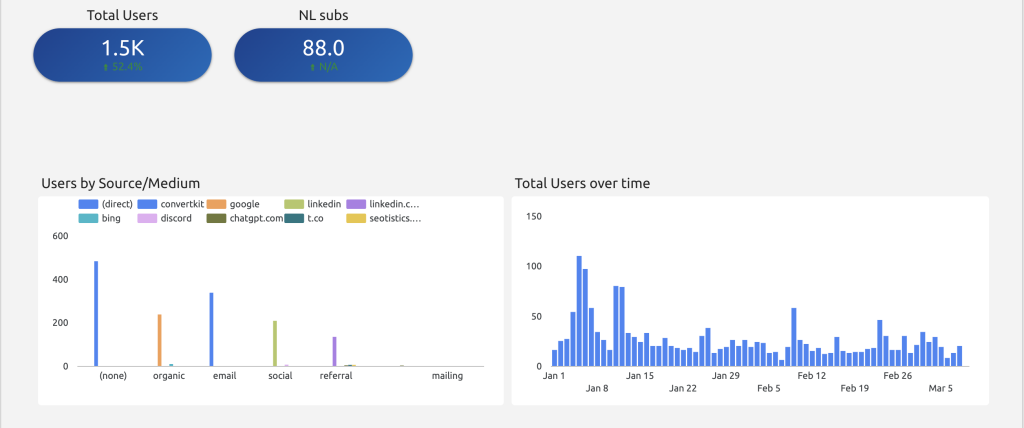
You could even pay for the Pro version adding more collaboration features but that’s overkill.
The free version is more than fine for 99% of the “small” organizations.
What you don’t need:
- Elaborate multi-page dashboards
- Real-time updating (daily is fine)
- Complex calculated metrics
- Beautiful design (functional beats pretty)
What you do need:
- One simple dashboard with key metrics
- Filters for date ranges and maybe traffic source
- Clear charts that answer your business questions
Google Ads
This is your PPC tool of reference, much like GSC for SEO.
Unlike GSC and GA4, you don’t have an actual export to BigQuery but a native data transfer.
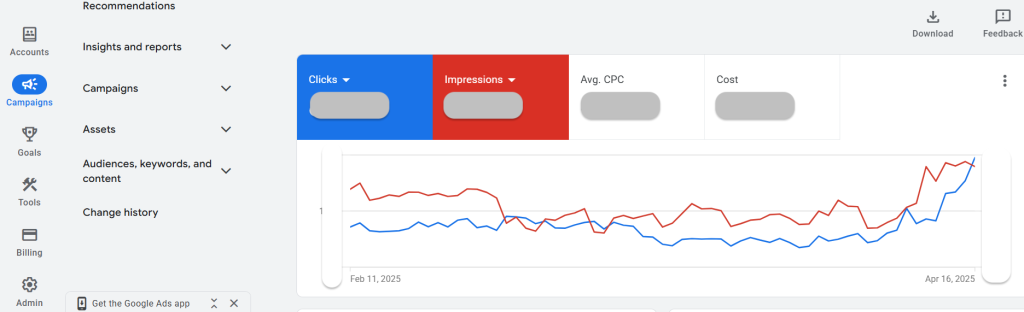
It means the process is slightly different and you get backfilling options, which is NOT bad!
What you don’t need:
- Paid connectors
- Strange engineering to get your historical data
What you do need:
- Proper setup of campaigns and account
- Good PPC knowledge to avoid overspending
Google BigQuery
This is where you store your web data to avoid losing it over time. And this is also where calculations run.
I can’t stress enough how this is important and relevant for ANY business.
Rampant misinformation on social media convinced business owners that BigQuery is expensive…
which is completely false!
As you can see from the tests below, the cost for storing your data is almost null, just be careful with how you pull the data.
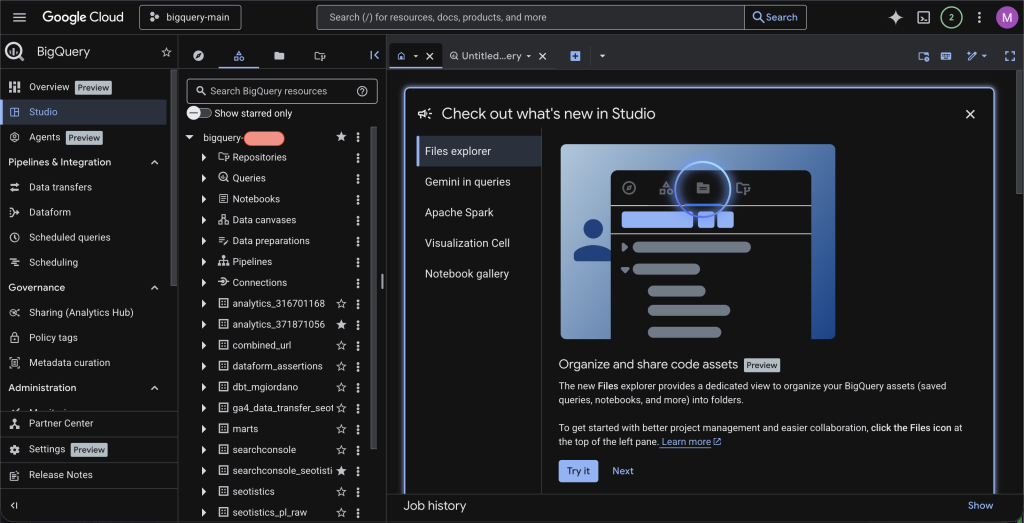
BigQuery pricing is $5 per TB of data processed. Your GA4 data is tiny, we’re talking megabytes per day for small sites.
I run several small projects, what’s my total BigQuery costs?
Less than $1 per month across all of them, like $0.12.
The storage itself is almost free (pennies per GB per month).
You only pay meaningfully when you query large amounts of data, which you won’t be doing.
The GA4 and GSC exports also give you more data than both the interface and the APIs.
I’ve talked about this previously in my article on the differences with BigQuery.
What you don’t need:
- Complex query optimization
- Detailed partitioning and clustering strategies (aka engineering)
- Cost management tooling (your costs will be trivial)
- Data engineering pipelines (not yet, anyway)
What you do need:
- GA4 + GSC BigQuery exports enabled (takes 15 minutes to set up)
- Basic SQL knowledge (or willingness to use AI tools to generate queries)
- Occasional queries when you need data the GA4 interface doesn’t show
Dataform
The data you get is far from being usable! This is why you need to process the data first, with a tool like Dataform.
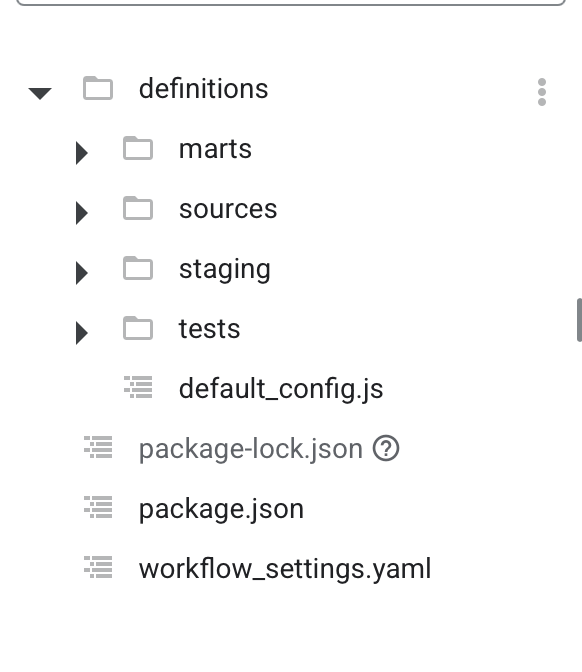
There are nice tools like GA4Dataform giving you help in data modeling for free. This is what I recommend everyone for making GA4 data usable.
Dataform is integrated within BigQuery and only works inside Google Cloud, such is the cost of simplicity.
If you plan on using other data, then DBT is the superior choice.
What you don’t need:
- Complex query optimization
- Lots of tables
- Advanced use cases
What you do need:
- GA4Dataform (free tier), there is no reason to avoid it
- Functioning pipelines
Buy OR Build
Depending on how small you are, there is no need for external help.
For this website, I did it all myself in one day + some extra hours here and there for my dashboard and some GTM.
For smaller clients, the work I had to do was naturally more methodical and detailed.
The areas you can delegate are:
- Complicate/Privacy checks (unlikely you get sued for it but you want to do it properly and legally)
- Metric definition and help
- Growth/Marketing, you need good fractional professionals who can help you
The technology per se is not the bottleneck… but rather how you use it and how it’s even related to growth.
Clarification On Reporting & BigQuery
A very common mistake is thinking that your end users will actually go to BigQuery and write queries…
NO!!!
BigQuery is only for storing your data and for analysts to write queries, stop.
Your final users will use data products, like dashboards, reports or web apps.
This applies to GA4 and GSC as well… you shouldn’t let non-technical users go near them.
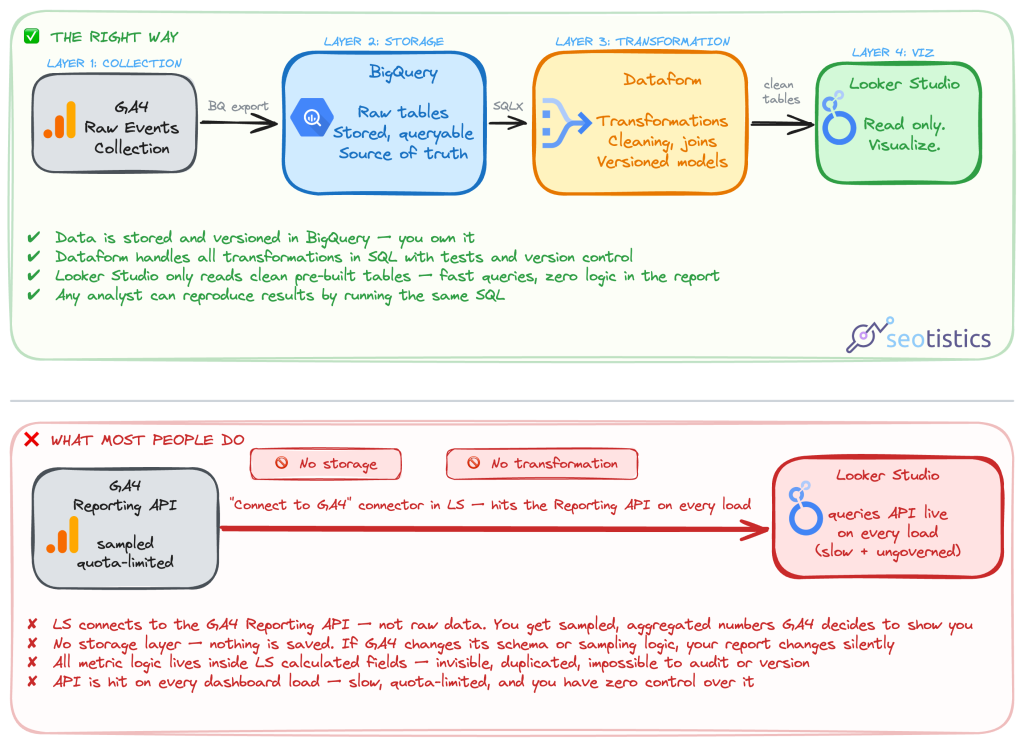
The output of this stack is exactly the same of what many companies do today: Looker Studio (or any alternative).
The missing key steps are storing and processing the data.
What About GA4 Explorations?
A common question I get asked is: “Will we actually stop using GA4 altogether?”.
The answer is NO.
I also use GA4 and GSC for quick checks and GA4 has some great reports in the form of Explorations.
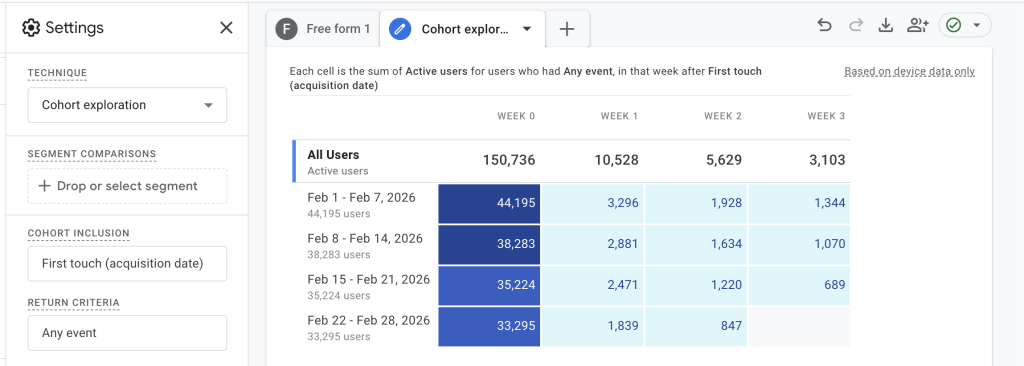
The only caveat is… don’t use GA4 as your main reporting tool, only use Explorations for very specific needs.
It’s fine to reduce friction and speed up decision making but don’t fall back to the vicious circle of technical debt.
Cost Analysis
The entire idea about a Minimum Viable Stack (MVS) is that you the benefits outweight the costs by a lot!
For smaller businesses, the costs should be extremely low.
For this website, the cost sits at CHF 0.02/month, peanuts!
For “bigger” clients I follow, the cost can be around $2/3/month.

The best way to convince reluctant SMEs is to show them the cost/benefit ratio.
Most people live under the false belief that data topics are expensive and niche… they are not.
The real expense is paying a professional to do it for you, if you need to find the main cost driver.
LLM Assistance
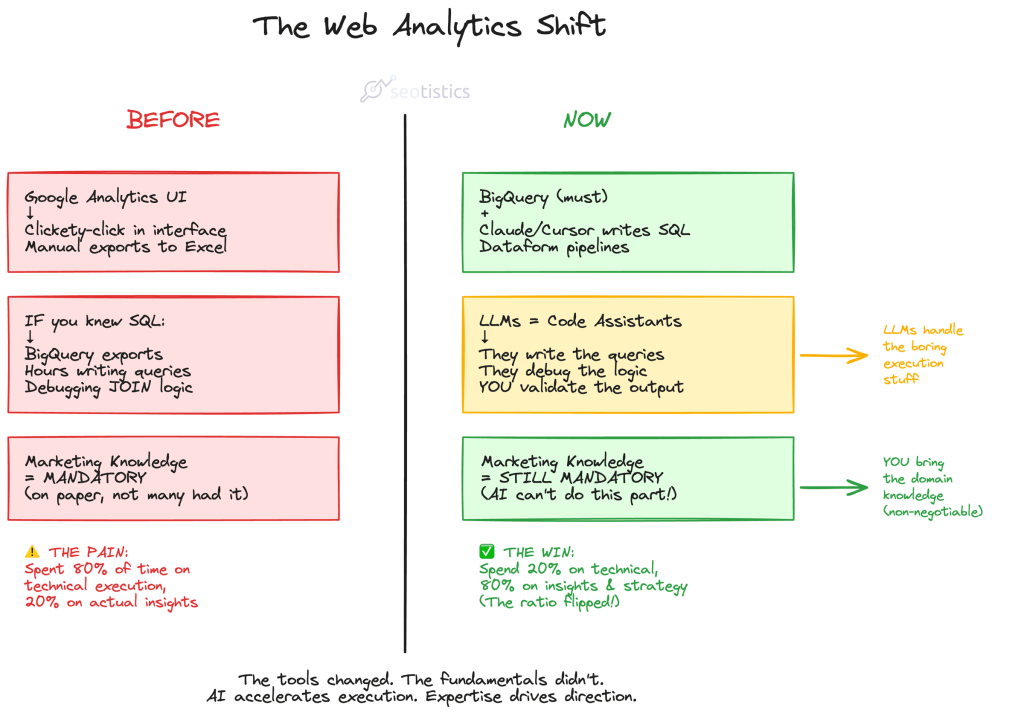
If this wasn’t enough, now LLMs can make a big part of your job remarkably easier.
As already explained in my LLM for Analytics Playbook, now the threshold to extract value from data is lower.
We will see LLM technology embedded everywhere, as already shown by Databricks and Microsoft.
GA4 is already integrating AI into its tool but the result as of now is abysmal.

For this reason, my advice is to use other LLMs and connect your data.
By that I don’t mean using MCPs but rather using LLMs to write code and speed up the process.
MCPs can’t be documented or controlled, it’s LLM random delusions.
We rely on good code so that everything is 100% testable and can be fact-checked.
You can still use MCPs to help you at work but don’t rely on them for processes or even actual analysis (please).
LLMs also miserably fail at:
- Interpreting your data (without prior business context)
- Generating production-ready code
- Reliable and stable output
How Do You Know It’s Working
If you are actively using your data to make decisions and these turn into some form of competitive advantage, then you are good.
Larger organizations struggle with data due to technical debt and the volume of data.
You have neither, so you have the edge.
Make sure to have an “acceptable” implementation and worry about technical data problems later.
After all, why should you even worry about complex data governance if there is nothing to govern?