

The Analytics world is flooding with AI hype and misinformation.
Every day brings new promises: AI will build your dashboards, AI will do all your analysis, AI will replace analysts entirely.
It’s nonsense.
But here’s what’s not nonsense: LLMs are genuinely useful for specific parts of Analytics work.
I’ve spent the last year testing LLMs across several analytics projects.
This article will show you how you can start using LLMs to learn Analytics and how they help you as an Analyst.
Table of Contents
Dispelling Some LLM Myths
Before we dive into what works, let’s kill some myths. AI will NOT replace analysts because our job is to help with decisions and handle people.
If you are scared of being replaced, you are either doing another job or a bad analyst.
LLMs will NOT:
- Replace your stack (they amplify but they don’t replace an Analytics stack lol)
- Produce dashboards (dashboards are way more complex than people think)
- Do actual analysis (they lack context, domain knowledge, and critical thinking)
- Magically find the right data (garbage in, garbage out still applies)
- Replace your job (if they do, you weren’t doing Analytics)
- Make you rich (they’re tools, not money printers)
- Save you unlimited time (Jevons Paradox: efficiency gains lead to more consumption)
The biggest misconception? That “chatting with data” is valuable.
It’s not.
LLM interpretations of data are superficial.
They summarize facts without context, miss industry nuances, and produce misleading conclusions.
Data analysis isn’t about numbers but rather understanding what those numbers mean for your specific business in your specific industry.
That’s why you get paid and where you add value, an LLM can’t do that!
Jevons Paradox in particular is helpful because it tells you that what you gain in efficiency will be eventually lost as you work more:
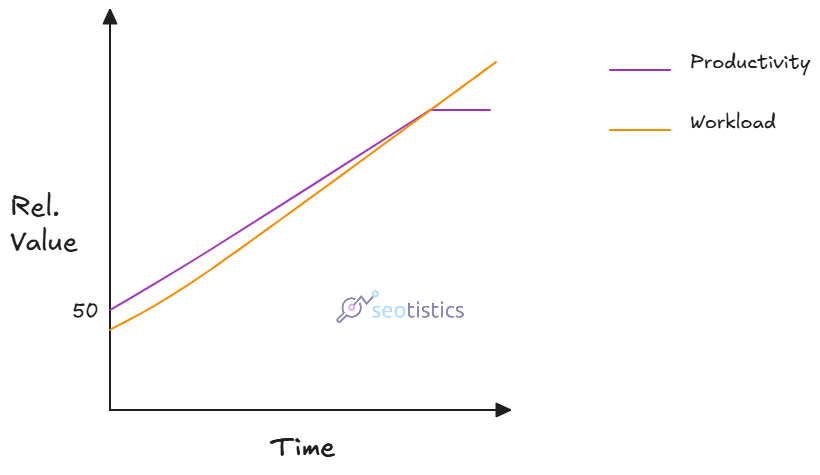
What many don’t want to admit is that technology raise efficiency but also how much we work.
I’ve never been this busy after LLMs and at the same time, they helped me achieve incredible things.
Where We Stand Today In Web Analytics
Thanks to the advances in technology and well, a lot of pressure from the job market, upskilling is a must and not an optional.
If you are a Web Analyst, you can’t sleep on the modern tools just because you already have opportunities.
You need to stay sharp not to fall out.
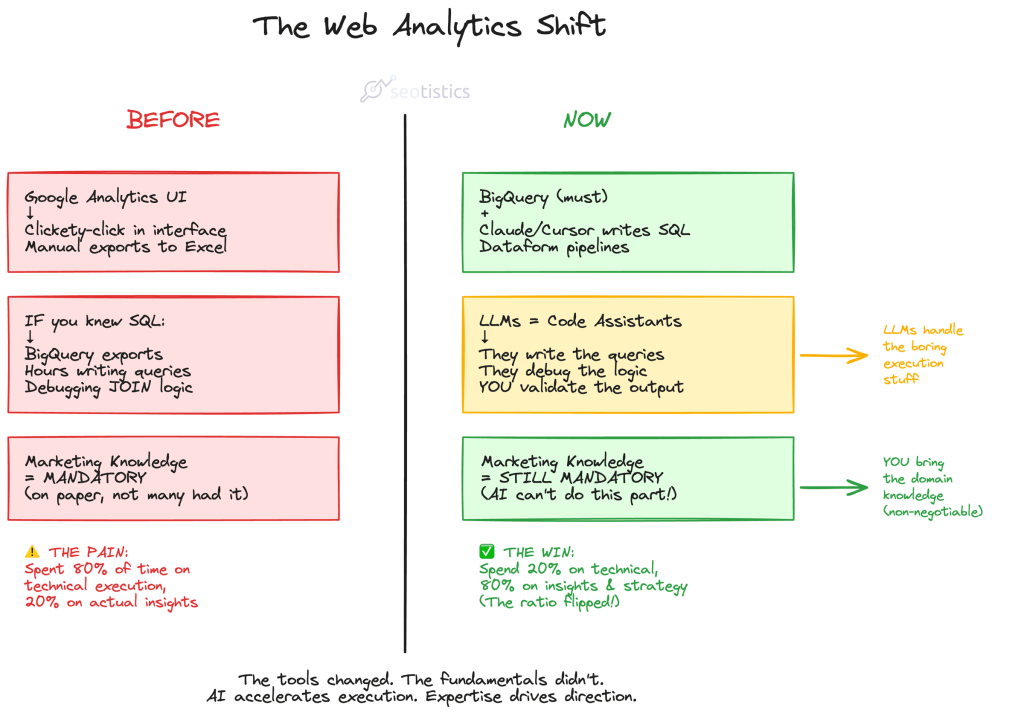
The entire point is NOT atrophy your skills and outsource thinking to machines.
This is what “veterans” want to let you believe.
You, the human, provide your thinking and the machine does the dirty job.
It’s unthinkable to work on Analytics without exploiting the latest advancements in technology.
This is why it’s time to document your knowledge, store it and (maybe) have a good structure.
What LLMs Actually Do Well
Here’s where LLMs shine for analytics work:
- Coding prototypes and MVPs
- Documentation and communication
- Learning and debugging
- Data visualization exploration
- Brainstorming and problem framing
Notice what these have in common?
They’re all accelerators for work you already know how to do.
They’re not replacements for expertise and that’s why I call them capacity multiplicators!
Coding
It’s no secret that the biggest help given by LLMs is for coding.
You still need to review it and understand what you are running though.
LLMs literally unlocked a new level of working so that even less technical users can do it.
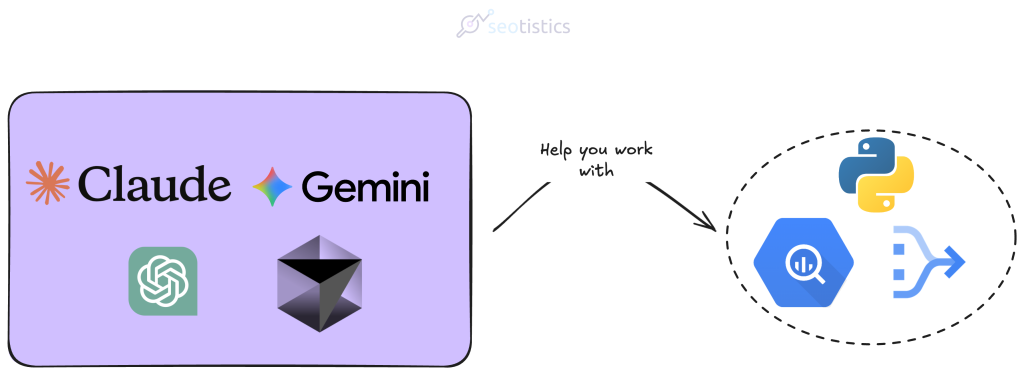
In most cases, this is what you will be writing:
- SQL for BigQuery and well, pulling data from any database. This is the lingua franca of data.
- Python as a general programming language with for simple web apps, APIs and data processing/local work.
- Javascript for web apps, advanced DataViz and custom GTM stuff.
Maybe you will need to translate some R code or work on more complex use cases… but this is really it.
Please folllow this diagram to decide whether you should rely on LLMs or not for coding:
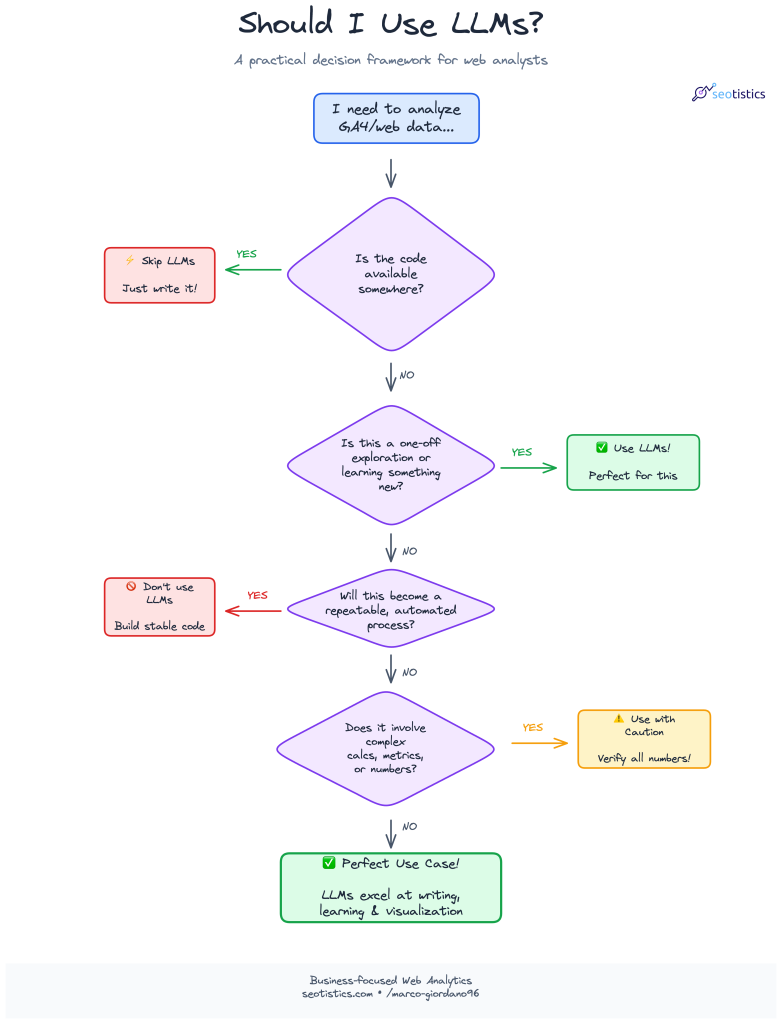
There isn’t exact advice for this but I will briefly mention some important tips to get the most ouf of LLMs.
The most common counterpoint is that AI is bad followed by some random motto like “garbage in, garbage out”.
Well, there is an entire open web of top tier websites giving you the exact queries.
You can copy the queries I showed you in my articles about GSC fields and GA4 metrics, save them in a .md file and you are done!
An analyst is not paid to write good code or elegant solutions. You can definitely take shortcuts.
Documentation
Who actually loves documentation? Not many, I am sure!
LLMs excel at writing documentation and I use them all the time.
The only con of this approach is that you lose the value of writing things down yourself which is beneficial for learning and communication.
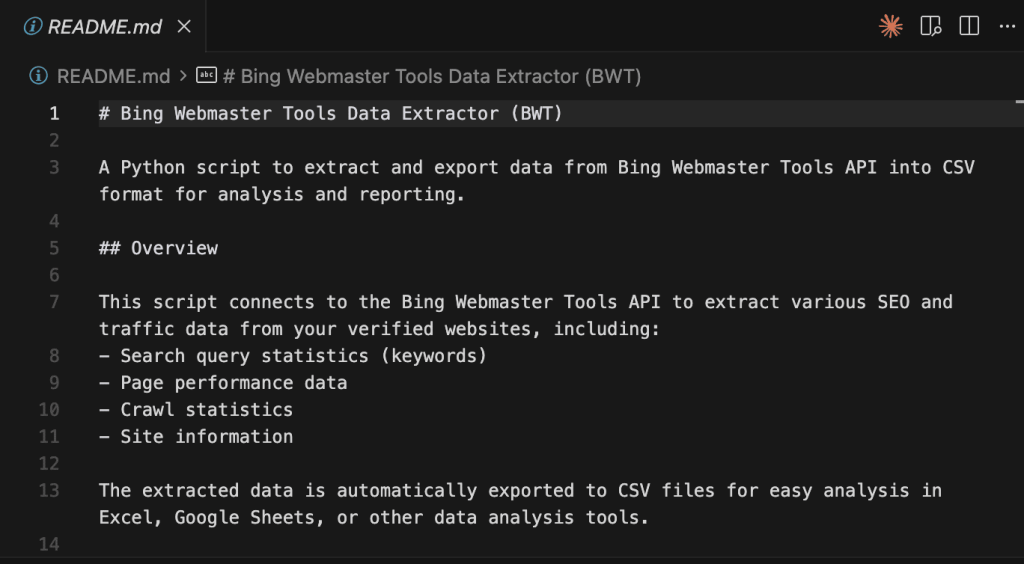
Claude Code usually creates some .md file before starting so that it can be referenced later.
This is a very good practice because trust me, you will forget what your code does.
An alternative is to provide some source files to act as references for future documentation.
Honestly, this is losable as you’d need to spend a lot of time on a task that doesn’t contribute to the bottom line.
If it’s about your personal work, you can use Obsidian as your storage.
A prompt library is a folder with all your most used prompts.
Learning
Given LLMs are not your only source, they can definitely make you learn faster!
Perplexity is well versed for researching topics and gathering sources but even something like Claude is good.
You can ask LLMs to simplify concepts or use better examples.
That’s all good as long as you don’t use them as your only source for learning things!
Visualization / Diagramming
Data Visualization (or DataViz) is an art but it’s not like you need to create a masterpiece for quick analysis.
This is where LLMs actually change the game, if used correctly.
If you need to analyze some data, I do NOT recommend you use LLMs, I’d rather ask for the code and then use that repeatedly.
If you need to build a quick visualization based on some context, then LLMs are great.
This is the area of tools like Excalidraw or Mermaid diagrams.
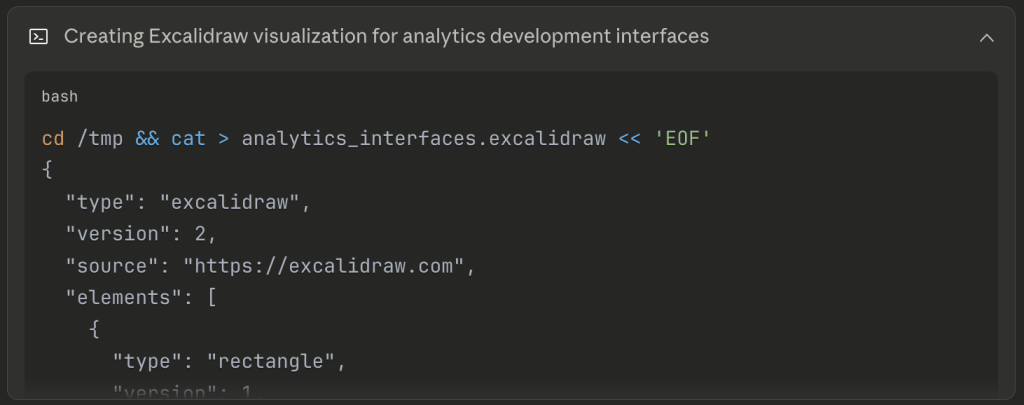
I often ask LLMs to prepare me a draft based on some criteria so that I can later modify it myself.
Diagrams are one of the most underrated types of visualization and communication ever.
As you may have noticed, this is unrelated to dashboards which are actual data products with complex rules and deployment.
But even so, you can generate a quick mockup as a reference!
Brainstorming
This sounds like the most marginal perk but it’s actually huge for an Analyst.
It’s all about perspectives and communication and what’s better than a model trained specifically on human language?
But before you start brainstorming, remember that LLMs are by default nice and agreeable. You need the exact opposite:
Avoid being overly nice or necessarily agreeing with my views.This is what you can tell LLMs or add to the general options.
You’ll notice an improvement in how LLMs talk to you and how useful they are.
Sample Prompts
These are sample prompts you can recycle:
Generating SQL code:
# Database Schema
Table: products
- product_id (INTEGER, PRIMARY KEY)
- product_name (VARCHAR)
- category (VARCHAR)
- price (DECIMAL)

Table: orders
- order_id (INTEGER, PRIMARY KEY)
- product_id (INTEGER, FOREIGN KEY)
- order_date (DATE)
- quantity (INTEGER)

# Task
Generate a SQL query that returns total revenue by product category for the last 30 days.

# Requirements
- Revenue = price * quantity
- Filter to orders where order_date >= CURRENT_DATE - INTERVAL '30 days'
- Group by category
- Order by revenue descending
- Limit to top 10 categories

# Output Format
Return ONLY the SQL query, no explanations.
Business Context Translation:
Marketing wants to know "which channels drive the most valuable traffic."

I have GA4 data with purchase revenue and engagement metrics.

Write the logic (not full SQL) for how I should define "valuable" and what metrics to show them so they actually use this analysis.
Explanations:
Explain how GA4's event_timestamp works versus event_date to a non-technical marketer.

They need to understand why their "yesterday's data" sometimes looks different when queried at different times of day.
Modeling advice (take this with a pinch of salt pls):
I'm building a session-level table from GA4 events.

I need to decide: should I use OBT (one big table) or dimensional model for a 50-person marketing team who mostly uses Looker Studio?

They care about source/medium attribution, landing pages, and conversion paths.

What are the practical tradeoffs?
When LLMs Fail (And They Will)
LLMs are far from perfect and fail in a lot of common tasks like:
- calculations, as they don’t think but generate words
- being accurate with table names or functions
- output consistency
- performance optimization
- DataViz (when not given clear instructions)
- privacy
The solutions to all of them is to provide better context with your prompts OR understand that LLMs are not feasible for that type of work.
LLM Stack (2026)
It’s true that there are frequent changes but the major players are always the same (oligopoly)!
My stack as of now is:

Costs-wise, I only recommend paying for Claude and trust me, less than $300/year is more than justified as an expense.
The reason why I didn’t include ChatGPT is because it’s mainstream and of low quality compared to other models.
Claude is the de facto winner for technical tasks and coding, also thanks to artifacts.
Gemini is an alternative option to Claude.
It has the boon of being Google which means easier integration with the whole Google ecosystem and better pricing.
The cool thing is that you don’t actually use the website or the UI, as an Analyst you are more interested in the CLI (terminal).
You can start a new terminal session from Cursor and then call Claude Code or Gemini from within.
Some of you may ask “but Marco, how come there is no n8n or Make” and the answer is because they are needlessley complicated.
I’d rather build an app with LLMs then toy with n8n.
Claude (Code)
This is the current GOAT of LLMs and the best for writing code and preparing prototypes.
If you pay for it, you also get access to Claude Code, which can be run from your terminal.
To install Claude Code, follow the steps covered in the official documentation.
Then head to your Terminal and run Claude by writing claude:

In this example I am using macOS, it’s the same on any Linux distro.
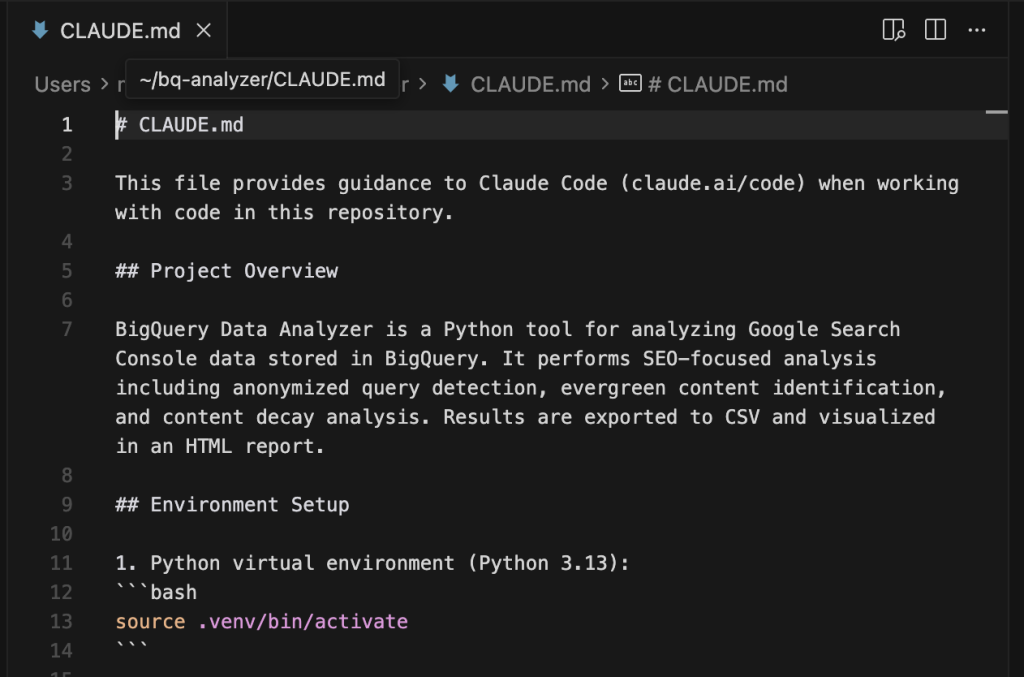
The most important takeaway is that you should have a markdown file named CLAUDE.md where you can input instructions and context.
You explain Claude how it should handle tasks or provide additional information.
Gemini
When I talk about Gemini, I don’t only refer to the web version but to the CLI option.
The greatest advantage of Gemini is that it supports Extensions, namely plugins that allow you to unlock new features.
Two of the best ones for BigQuery are:
- bigquery-data-analytics (I use this)
- bigquery-conversational-analytics
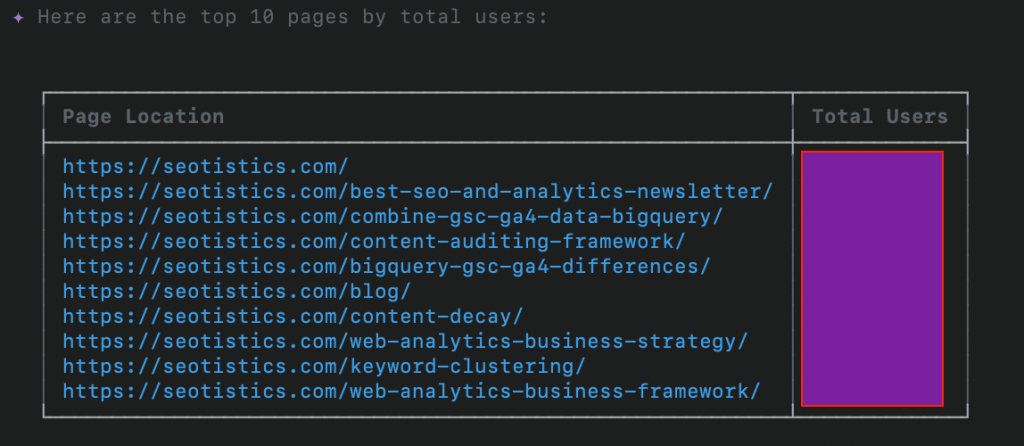
The first one is already enough to chat with your BigQuery data, which can be useful if you need to retrieve data on the fly.
I have to say the results are quite good! My only complaint with Gemini CLI is that it’s slow.
For all the rest I rely on Claude because the performance is so good.
And you know what, you could even call Gemini CLI inside Claude Code 👀
This is often done to:
- increase your context window
- additional insights
- save tokens
What I like about LLMs is that they reward creativity and force you to think of possible solutions.
Cursor
A nice IDE which integrates LLMs into it.
In plain English a way where you can start your coding projects while receiving help from LLMs.
This is my new default when creating something like a CLI app.
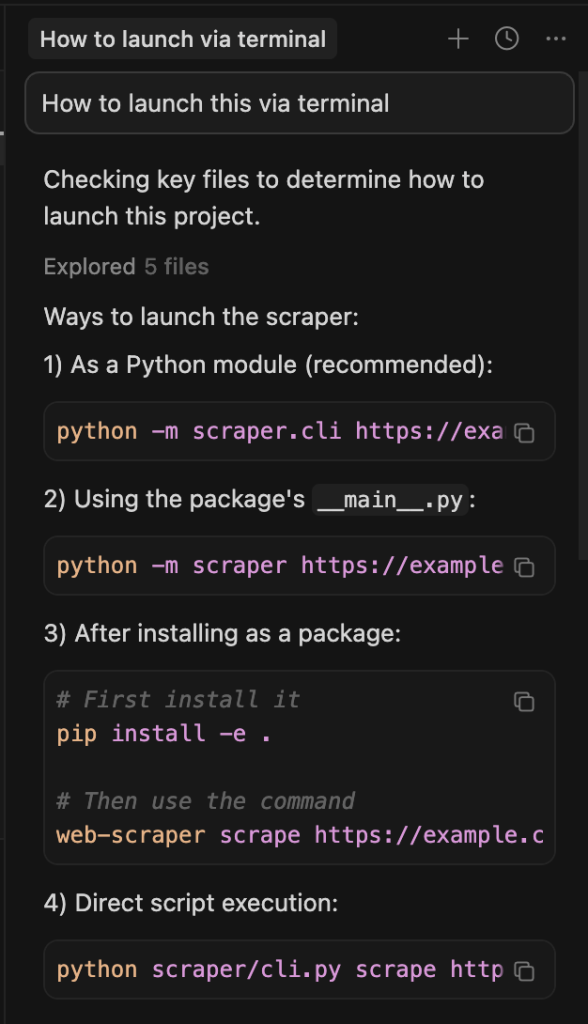
As you can see above, you can chat inside Cursor and get help with LLMs.
I am not even paying for it! I run Claude Code inside a terminal instance created from Cursor:

Otherwise, you can use the Claude extension inside Cursor.
LLM Interactions (MCPs)
An MCP is a connector between an LLM and an external tool, e.g. Claude to Obsidian.
While this protocol is unsafe, messy and whatever you like, it’s still useful for people like us who just need to get the work done.
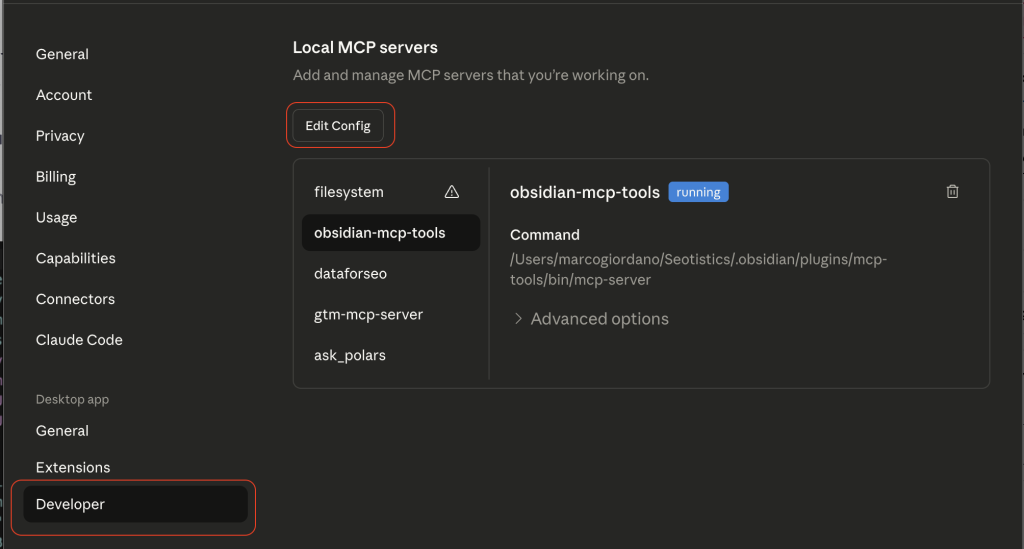
You don’t just install MCPs, you modify a specific config file and add some details.
You can locate your file from the Settings in Claude:
Then, you can actually edit your config file based on what the MCP asks you to add:
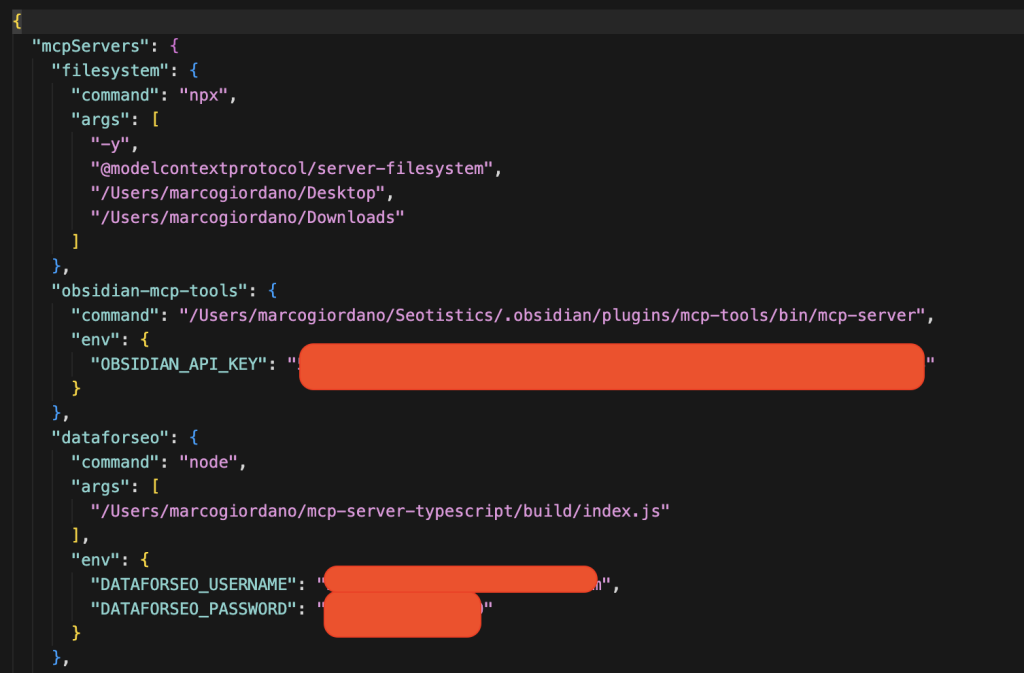
This is the main reason why MCPs are still for technical people… the setup is annoying and clunky.
So there isn’t a universal process, you need to check for each MCP how you need to edit the config file.
Here are some nice MCPs I use:
- Obsidian
- Filesystem
- DataForSEO
- Semrush/Ahrefs
The main use case of MCPs is to get data on the fly or edit your existing files with new information.
If you happen to prompt a lot (like me), it can only make sense to have some shortcut for your data.
Don’t use them for repetitive work that needs standardized output. In those cases you need a solid process.
For research and brainstorming, LLMs are great.
Skills
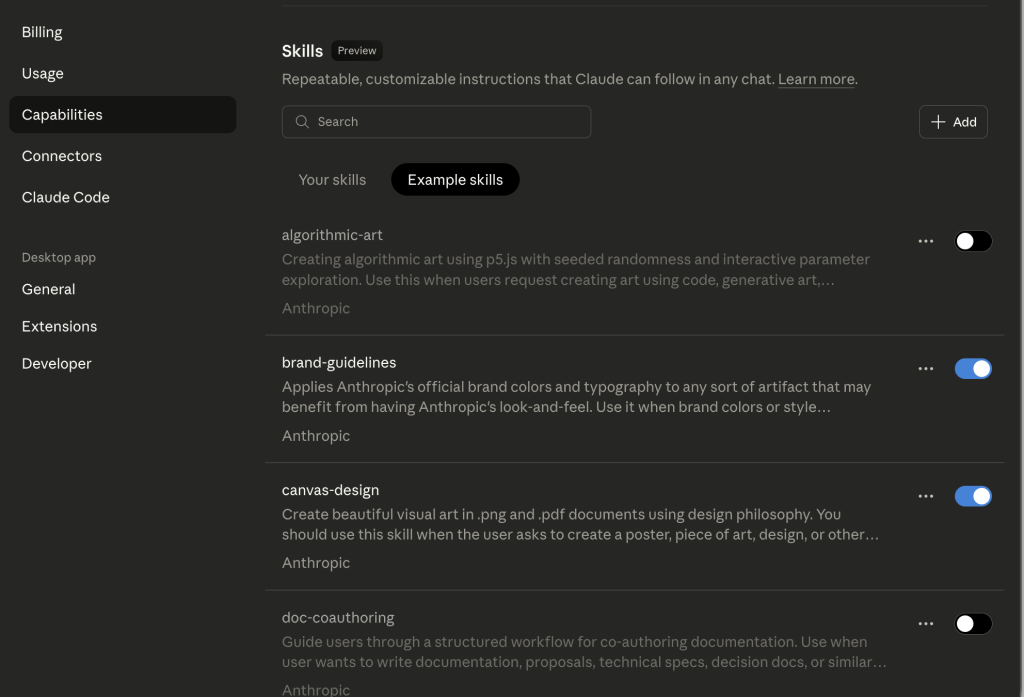
And even better than MCPs, you have Agent Skills, instructions for agents.
Instead of copying and pasting each time, you can have skills telling Claude how to behave specifically.
It’s not super different from the markdown approach.
As per the time of writing, MCPs are inefficient in terms of token, i.e. they waste a lot of usage.
Skills aren’t that different from markdown files except for the fact they have some YAML, i.e. additional metadata.
You can also add them from Settings > Capabilities in Claude Desktop:
LLMs VS Traditional Solutions
The biggest issue I see is people thinking LLMs replace traditional and effective means.
As discussed in my article about Keyword Clustering, you don’t need to fix what already works.
So in most cases, traditional solutions are to be preferred to LLMs.
The real role of LLMs as of now is to support in your personal productivity, as explained with content management with Obsidian and Claude.
If you need help with some language of sort, LLMs are undefeated.
For the following tasks, avoid them altogether:
- calculations
- stable processes where you need a deterministic output (i.e. explainable and predictable)
- pulling data (e.g. SEO data) because it’s all made up
There is a lot of misinformation and some people think you can retrieve actual data from LLMs…
Context Window & Its Degradation
An important piece of advice is about context.
Context is the working memory of an LLM, you can think of it as how much information they can handle for your request.
If your input is too detailed, you may not get the results you desire.
Much like real people, information in the middle may not be recalled.
The context window is:
- your input aka prompt
- history/memory of previous chats
- attachments
- the response you get
As some tests showed, reaching the end of the context window doesn’t mean you are good to go.
You want to avoid using almost all of your context!
This means that long-winded conversations (forth and back) aren’t better, you’d rather start a new conversation.
In Claude Code, you can the /context command to see your token breakdown.
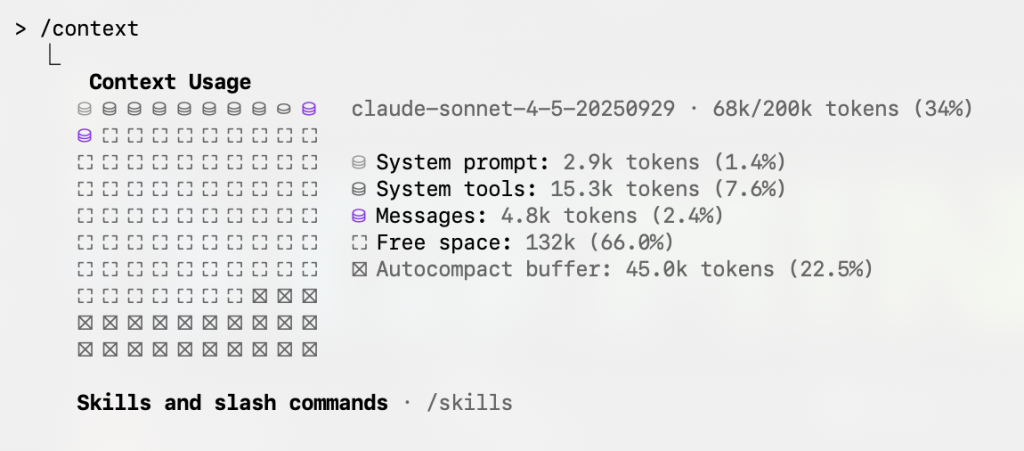
In this case, I am not even using that much context.
When providing information or attachments, limit what Claude can see to save on tokens.
Managing Your Context
There are some valid tips to make the most out of your LLMs and it’s common sense.
- Disable unneeded MCPs
- Select a specific folder
- Trim your CLAUDE.md file
In most cases, the culprit for eating your context are MCPs, you can disable them if not needed.
Claude Code also gives you access to commands like /clear to restart your session.
There is also the /compact command which compacts your context window but it’s suboptimal. Avoid it.
Or you simply ask Claude to create a .md file summarizing its findings or the chat and then run /clear to start a new session.
Orchestrating
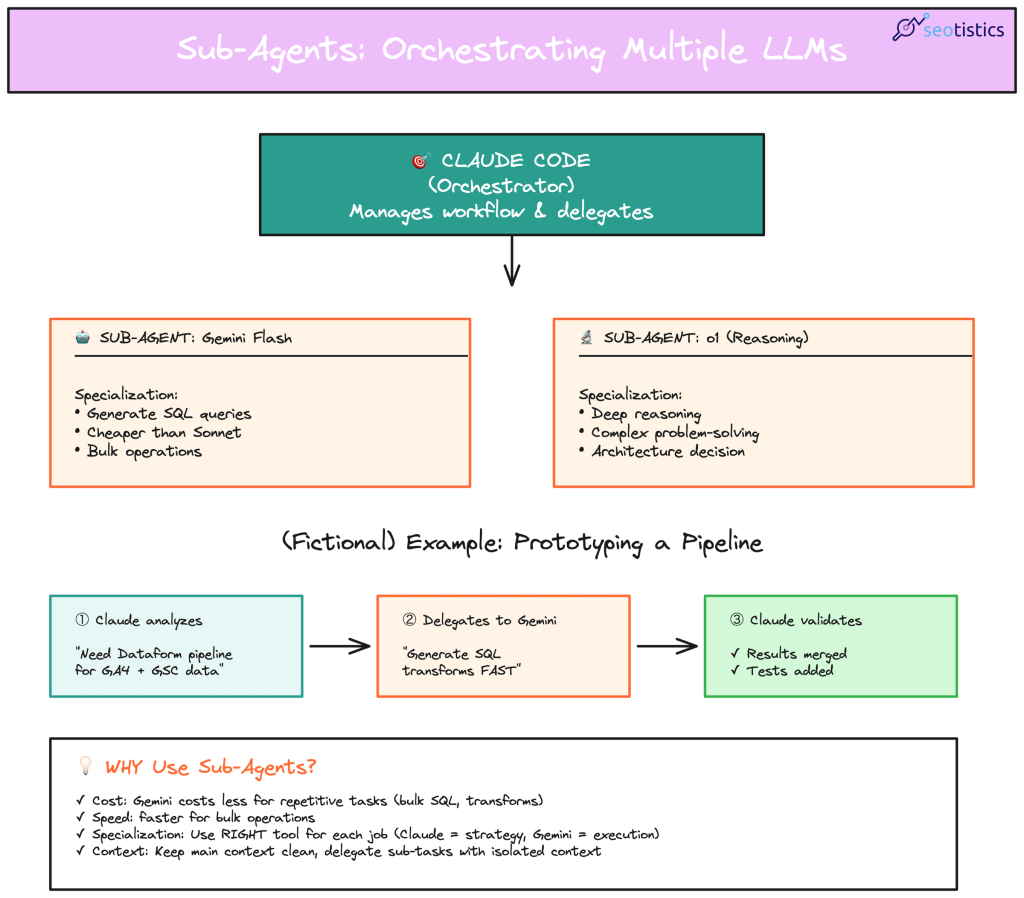
The best results come from orchestrating and using sub-agents.
What if I could call Gemini inside Claude to save tokens and have a second check?
This is possible and you can also test it with your laptop:
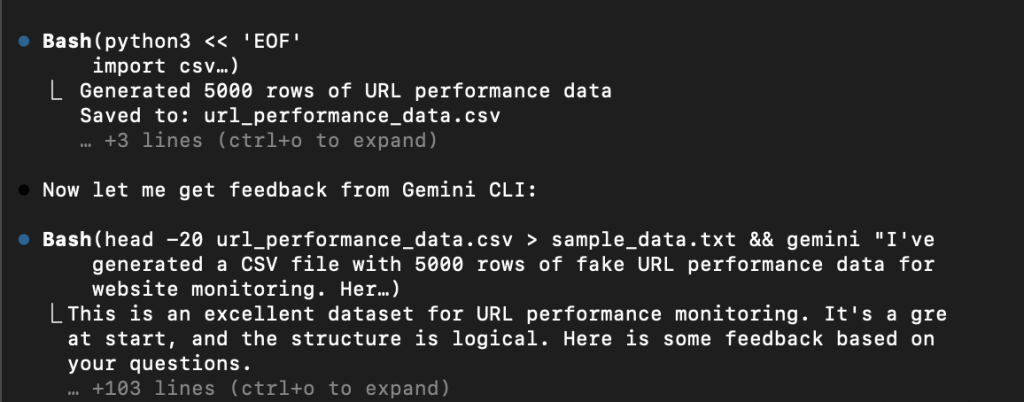
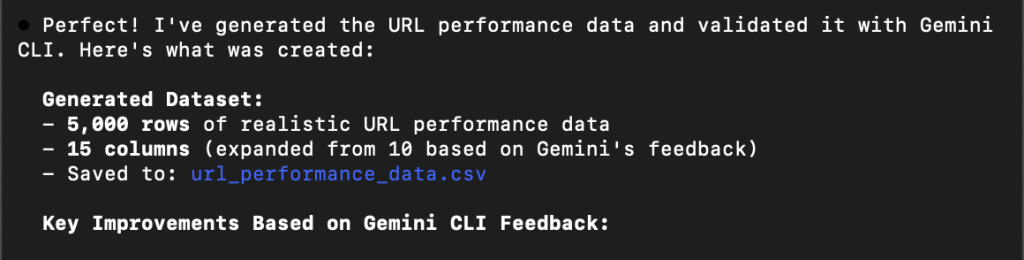
Let’s consider my case, I have Claude Code and Gemini and want to validate the results of a data generation.
For the sake of it, I just created a fictional example where I ask to create some fictional URL data.
Then, I asked Claude Code to validate the results with the help of Gemini CLI:
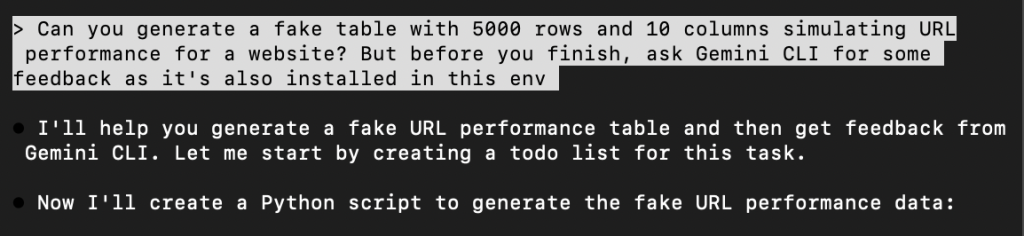
For more proper use cases, you would write some code where you query both the APIs.
In this case, you would just ask an LLM to rely on another one, as you can see from Claude Code running a terminal command to ask Gemini CLI.
AI Workflows / Processes
The real power of LLMs isn’t in single interactions but in chaining them into repeatable workflows.
Here’s how I structure analytics workflows with LLMs:
Research → Context Building → Execution → Validation
Let’s consider one of my most mentioned use cases:

Research: understanding what to do and what already exists out there -> I want to gather information around a topic, there are nice scrapers for it
Context building: what is needed to make the LLM work -> the scraped content
Execution: the actual work -> in this case handled by Python and then Claude to receive custom instructions to summarize it
Validation: assessing the outcome -> done by me or another subagent
It’s not important to have an automation for this, you can also do it once in a while.
They key point is that you can further expand this process to include Gemini (or any other LLM) as a check.
What About Privacy?
One of biggest issues is that some companies block access to LLM providers and force you to use less optimal solutions, like Copilot.
If that’s the case, you can consider:
- Local LLMs (Ollama, LM Studio) that run on your machine
- Enterprise versions with data privacy guarantees (Claude for Enterprise, etc.)
- Anonymizing data before using public LLMs
- Using LLMs only for general learning, not company-specific work
Be careful about what you write inside LLMs, they will hardly forget.