
I often talk about managing content but how can we ensure this process is smooth?
If you are a professional or own a small website, there is no need to use tools like Airtable or NocoDB.
Obsidian is a FREE alternative that I use to handle pretty much all of what I do now.
Mind you, this isn’t just for content people or marketers but for EVERYONE.
Yes, even you analyst or engineer reading this, especially for you!
Table of Contents
Ok… What Is Obsidian?
Obsidian is a FREE note-taking tool that stores the files you create into your computer as markdown (.md extension).
This means that not only this isn’t an online tool but that you fully own the data. Yep, you can use Obsidian while offline, it’s not a SaaS.
Obsidian just allows you to create and manage notes, that’s it.
P.S. My Obsidian was visuallly customized by me, so don’t expect yours to look the same out of the box!

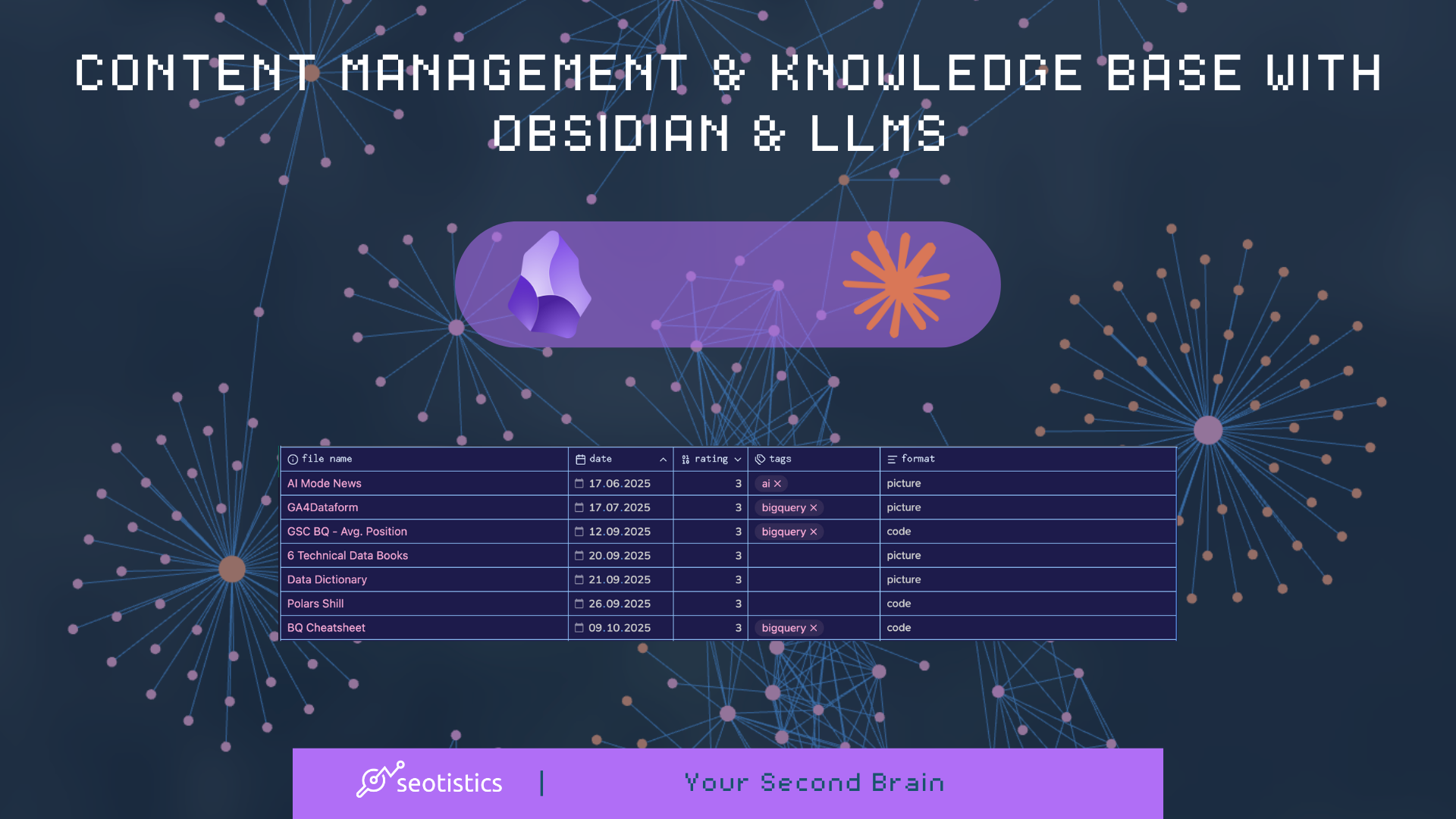
Every note can have properties, as you can see from the picture above. You can say that’s metadata or attributes of your notes.
Notion on the other hand owns your data and can remove it whenever they wish, just like any other SaaS.
The biggest pro of Obsidian is that it’s fully customizable and it has one of the most active and dedicated communities ever.
There is a huge selection of community plugins that achieve the impossible and it’s up to you to find the most useful for your work.
Understanding The Idea
A vault is your personal space where you can create folders and notes (aka files), plus other file types like drawings or bases.
It’s like a folder in your computer… because well it is!
Obsidian is only helping you formata and manage these files but they are local files you own, as you can see below:
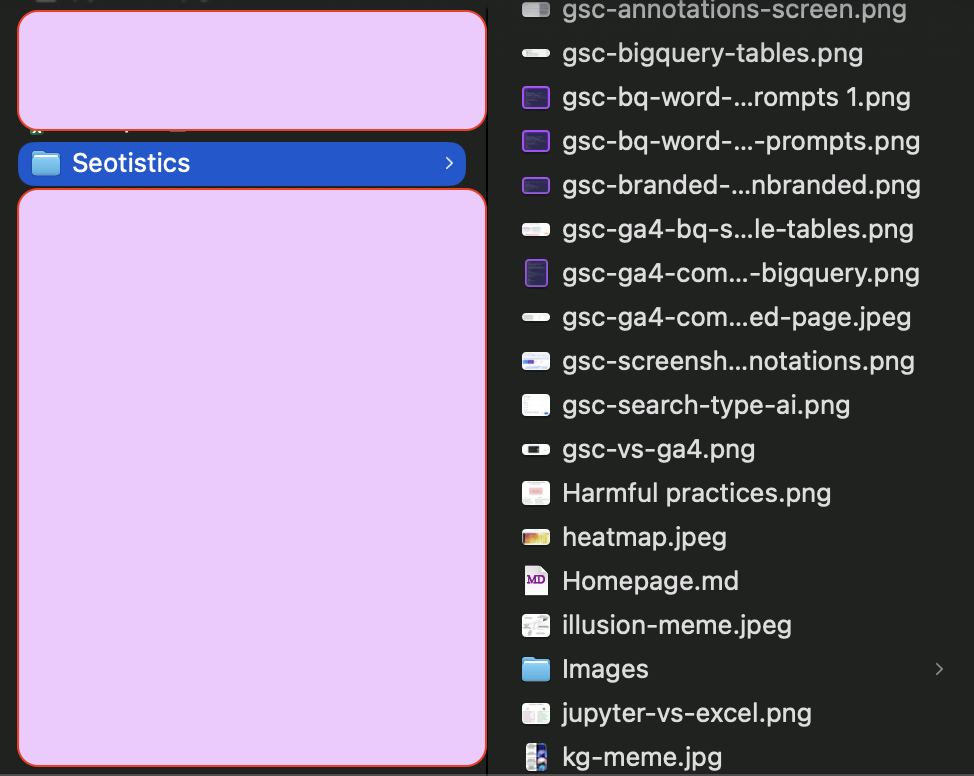
In my specific case, the notes I created in my Seotistics vault are:
- LinkedIn posts – you know, it’s always better to own your content rather than leaving it on social media
- Business ideas
- Ideas in general and brainstorming
- Content updates for my products and articles
- Code (e.g. SQL/Python)
This tool isn’t complex at all but it manages to make your life so much easier with simple notes.
Writing makes you understand better a topic and is the best way to keep track of your work…
as well as making sure you don’t forget things!
Your notes can be called from a base, a format to structure your data nicely.
Bases is a plugin created by the Obsidian team that creates database-like views, meaning you can create content plans!
And yeah, this is pretty much like Notion! We will see it soon 👀
The Flow
We could talk for centuries about content flows but this is what I personally do and works:
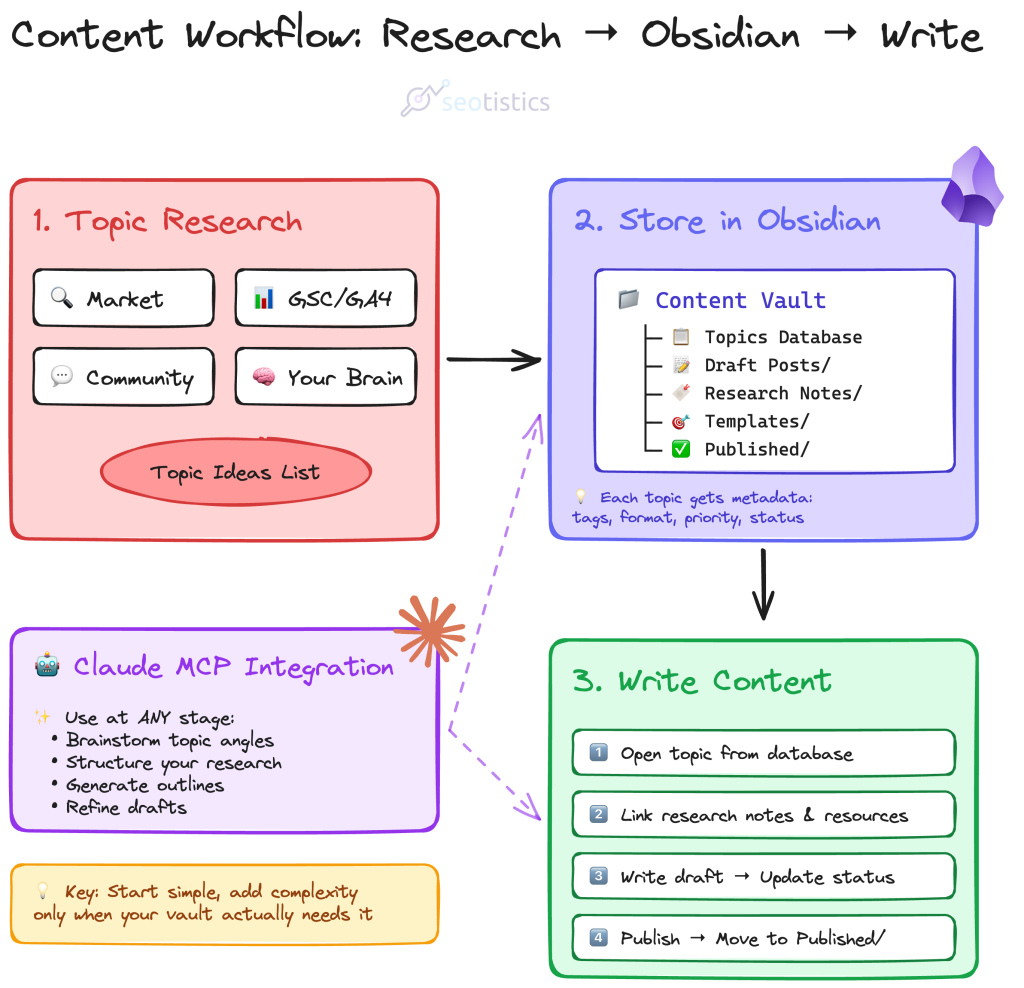
First, identify the topics you want to cover, then you can think about the different formats and posting frequency.
Most of the ideas come from:
- “competitors” or people who cover related topics… other people in general
- my GSC data or what people internally search on your website (GA4 helps here)
- my community and readers who talk to me
- my brain
I know folks, you expected some AI slop or complex n8n automation but we do actual quality work here.
Good research comes from human brains… but you are free to help yourself with AI as long as the output makes sense!
Then you can write your content into Obsidian and eventually use LLMs to help you.
Content Management & Repurposing
Yes, once again we talk about this topic because it’s the current content metagame, as explained when discussing content management & operations.
Obsidian alone is only storage but you need something more to actually shine and get value out of your content.

Your posts on Obsidian can be converted into long-form articles or even videos.
The real pain point today is NOT about content creation but having the time to manage it all!
LLMs massively help you in this if you have a structured knowledge base and a plan.
Structuring Your Base
Now that you have an idea of what we are going to achieve, it’s time to structure the base in Obsidian.
My recommendation is to just start and forget about complex structures.
Then, have a note for each post or article, where you specify some attributes of interest, as we have seen at the beginning.
Analysis paralysis is terrible and you know what’s even worse?
Obsessing about organizing notes instead of putting the work in.
Just do it and then you can worry about all the rest 👀
My advice is to create a folder containing all of your content-related stuff (Content in the picture above), have a subfolder for your content (Posts) and then adding a base to it.
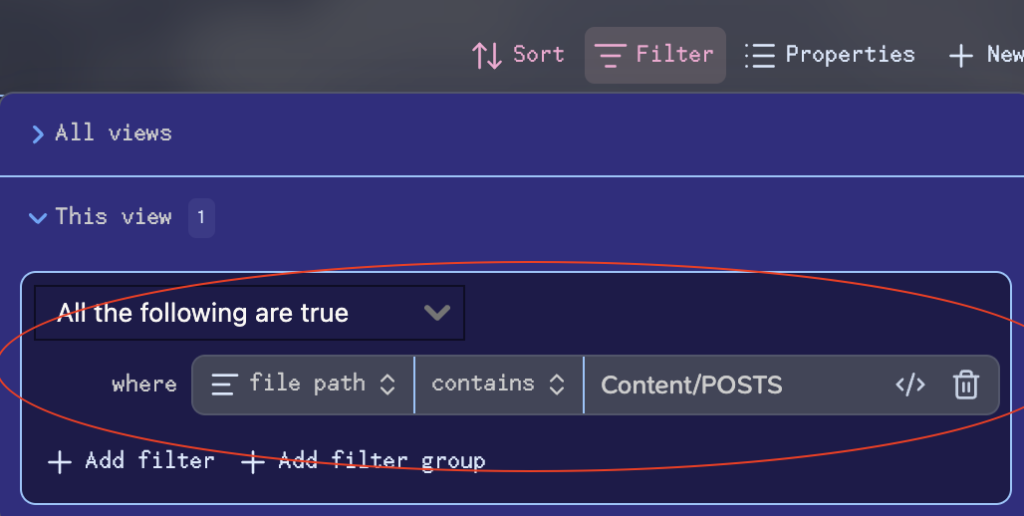
This base will reference all of the files inside your posts folder, including their attributes:

Now you have a nice table you can fill over time containing information about your content!
Obsidian lets you create views aka smaller tables with specific filters applied, like the one below:

In this case I selected all posts containing the tag “bigquery”.
In case you wondered, you don’t have to do it for social media posts, it can also be with articles on your website.
Each note can be one article and the process stays the same.
The Criteria For Content Planning
The choice of metadata depends on you but my absolute musts are:
- Published Date (to understand after how long to repurpose)
- Tags/Categories (grouping/analysis)
- Rating (to see gauge what people like, 1 to 3 based on likes)
- Format (text, code, carousel, picture, etc.)
You can be more original and have additional attributes like Modified Date, have multiple levels of classification or even define your Audience or the Current Status of the post/article.
All that matters is that this metadata is useful for your goals.
Grouping content is super important as you don’t want to report on single posts.
And that’s why the most important attribute is the tag/category of a post!
Obsidian MCP + Claude
One of the biggest advantages of having a knowledge base is that you can use LLMs to ask questions or interpret your data.
There is an Obsidian MCP integration with Claude that does exactly this.
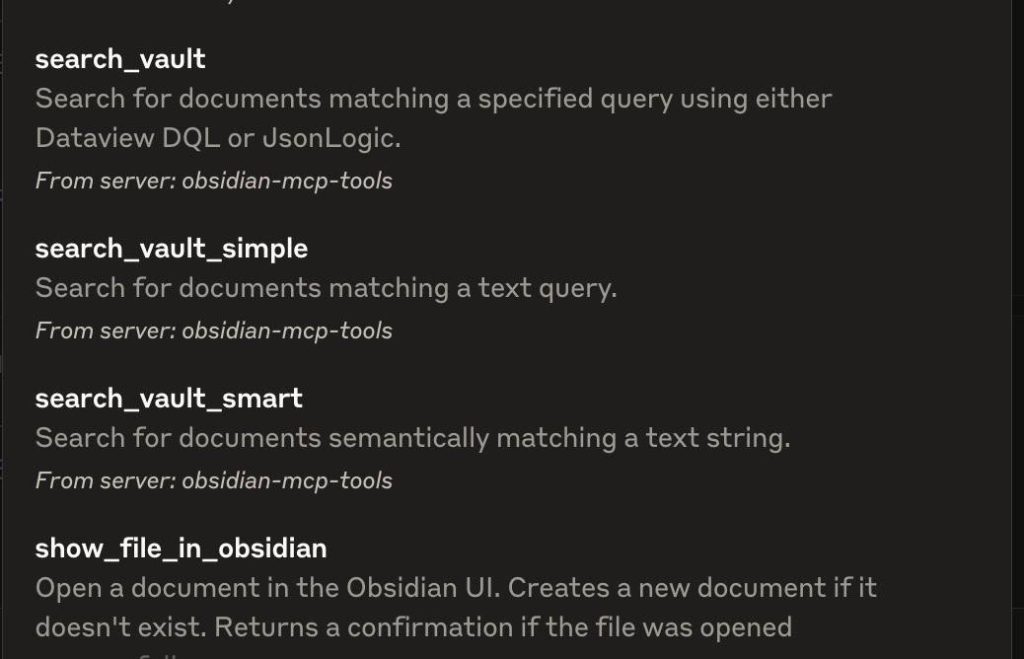
This is great for ideas and structuring your mess, which is a big part of content creation if you ask me!
Let’s consider the following prompt:
Can you check my content base under the Content folder in my Obsidian vault and prepare:

- a recap of my main topics
- recommendations on which content to cover next
- how to repurpose my existing content in the base to different formats or channels

The reply should be structured and be relevant for the value proposition of Seotistics.
You can get a useful output like this one:
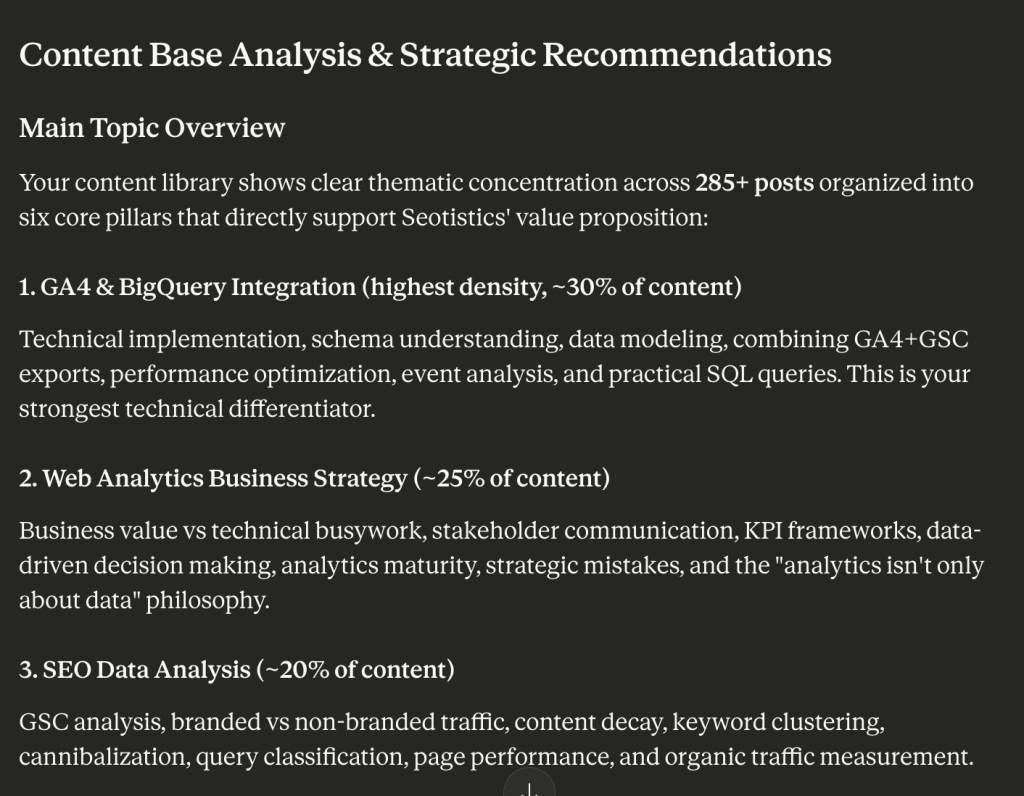
LLMs make it easier to interact with your knowledge base to ask questions or even create content:

And if you want to keep track of your tagging:

The image above shows that I need to improve my tagging as I have a lot of unmapped posts and some tags that either I or Claude created by accident.
You can use a prompt like this:
Can you visualize my base (Content/Content Calendar.base) in terms of count of tags? Also include blank values as unmapped.

Prepare me a nice chart to showcase their distribution in decreasing order.
P.S. I specified the path of the content base just in case.
Before you do any drastic operation, be sure to backup your vault or at least pay for the online sync.
Claude could actually delete your files or alter your base!
Better Prompts & Documentation
Obsidian can also be used to store your prompts or create .md files that will be used by LLMs.
You can do it BEFORE you start prompting or AFTER, at the end of a chat.
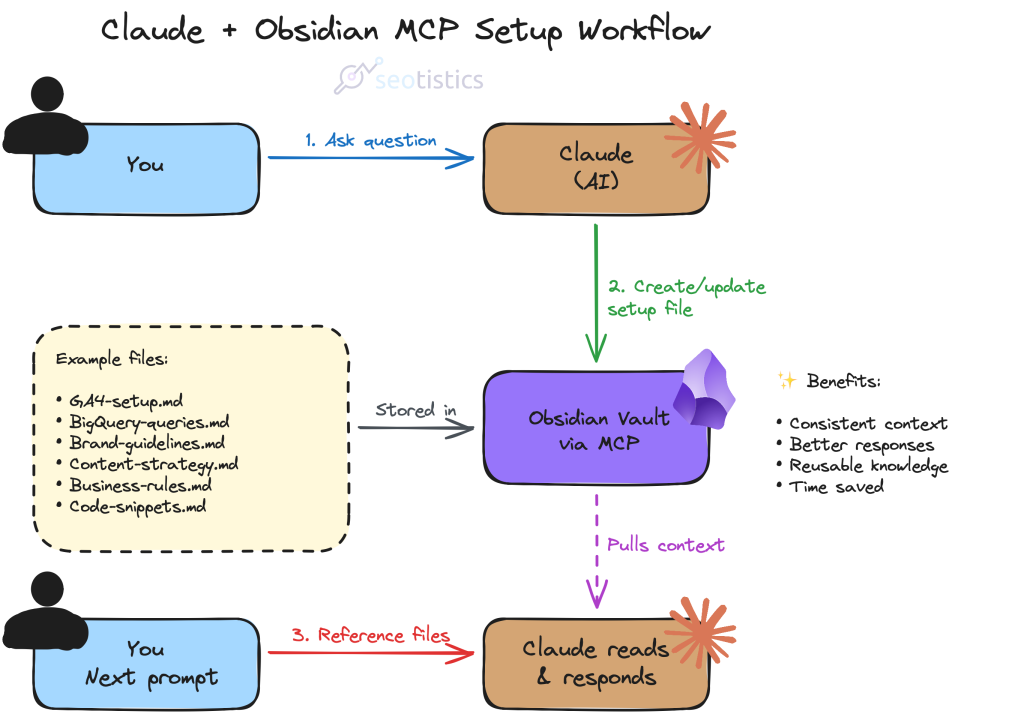
This approach is what many professionals miss and why they get subpar results with LLMs.
They forget LLMs need clear instructions and that markdown happens to be a great format for this.
A common use case is preparing a list of SQL queries and hand them over to Claude to generate actual good code.
I use the “Code Styler” plugin to make my code look cooler:

Well yes, I also use it to store my code in a nice format! You can select your language (SQL here) and assign a title to your snippet.
Scaling In Complexity
Look, I don’t recommend making it complex but for some people like me this can be a necessity.
As your vault grows over time, you need to spend more time on organization and brainstorming.
Consider your vault as a knowledge base/wiki and not just a content plan or calendar.
This is important because LLMs can ingest this data!
Obsidian allows you to create connections and links across notes, much like it happens on the web.
You can reference other notes or content and go beyond simple bases.
In fact, the beauty of Obsidian lies in how you connect everything.
One of the features you can use is the graph view:
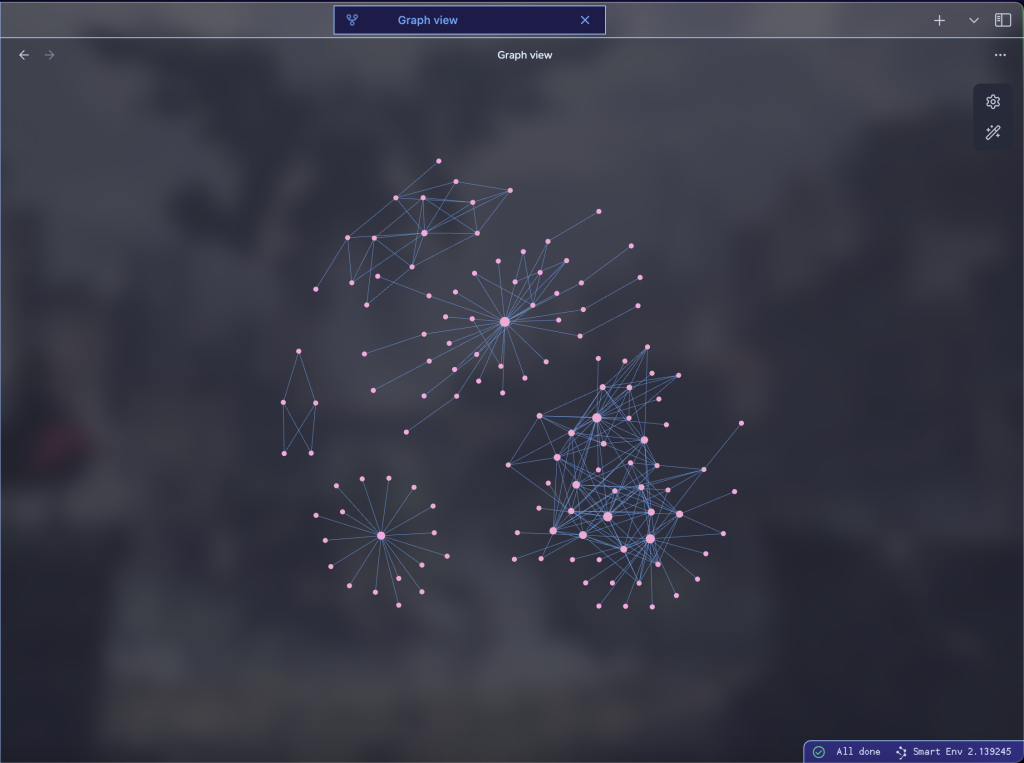
This visual per se is useless BUT if you know how to filter it can be used to detect connections across files.
In this example, the cluster on the bottom left is standalone because it was a separate topic from the others.
On the contrary, the one on the right is well connected.
Claude can help you create connections across files, although I admit I haven’t played too much with it!
Taking “Inspiration”
Of course you need to take inspiration or gather resources! And even better, save web pages locally in case they go down…
this is where Obsidian Clipper shines.
It’s a free browser extension that allows you to “clip” any page, meaning it creates a note containing a replica of that page.
Don’t expect it to be as nice and polished as what you see on the browser but better than nothing!
You can also play it smart and employ this process with Python:

Scrape competitor websites and get their content stored in your Obsidian…
or well, summarize it first with Claude and then use Obsidian MCP to send it back to Obsidian.
This process is even better if use an IDE like Cursor where you can scrape your content and then send it to Obsidian.
This is invaluable data for competitor research and to get ideas of what you can cover next.
With custom and long prompts, you can do a LOT of interesting things.
The opportunities are endless and what matters here is how you use this data.
Going Beyond
If you have read Seotistics, you already know that everything that is data can be used to your advantage.
In fact, you can analyze it and even combine it with your Web Data:
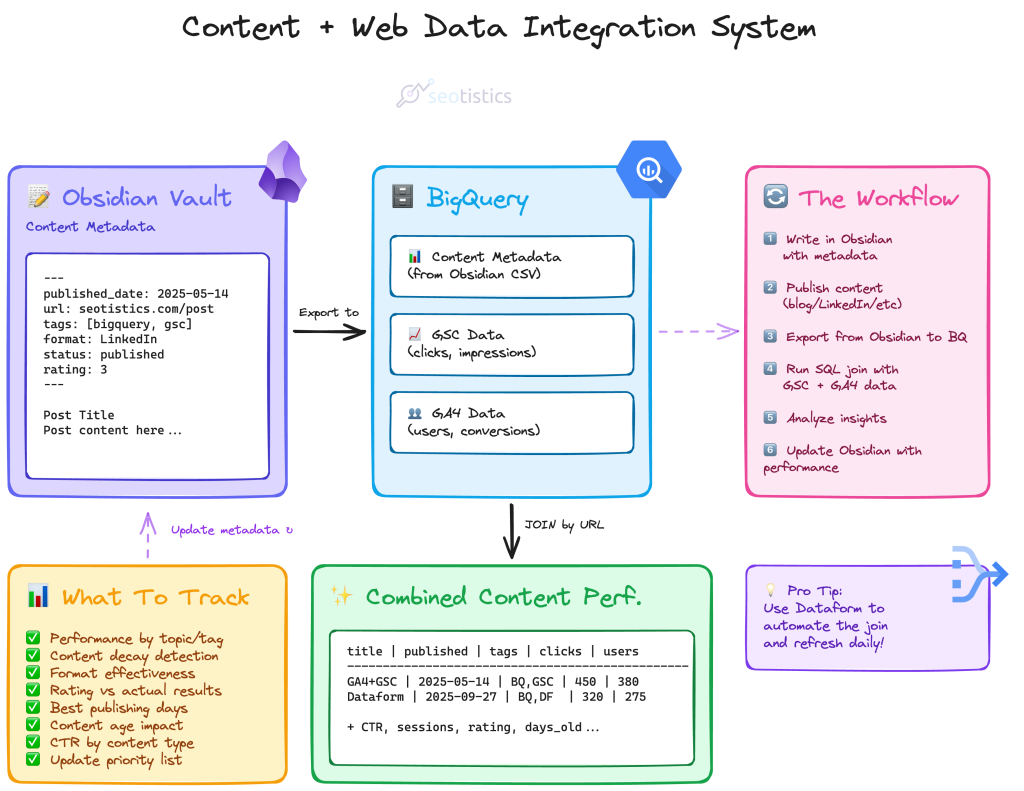
This is what you can also do with Airtable and Notion… which would be even better for actual use cases.
Obsidian is thought to be used for yourself and to document your knowledge, it’s not a collaborative tool.
Nonetheless, you can still store your data if you are a content creator like me and want to scale your business.
Dataform can help you to create incremental tables and make your life easier but consider this as an advanced use case!